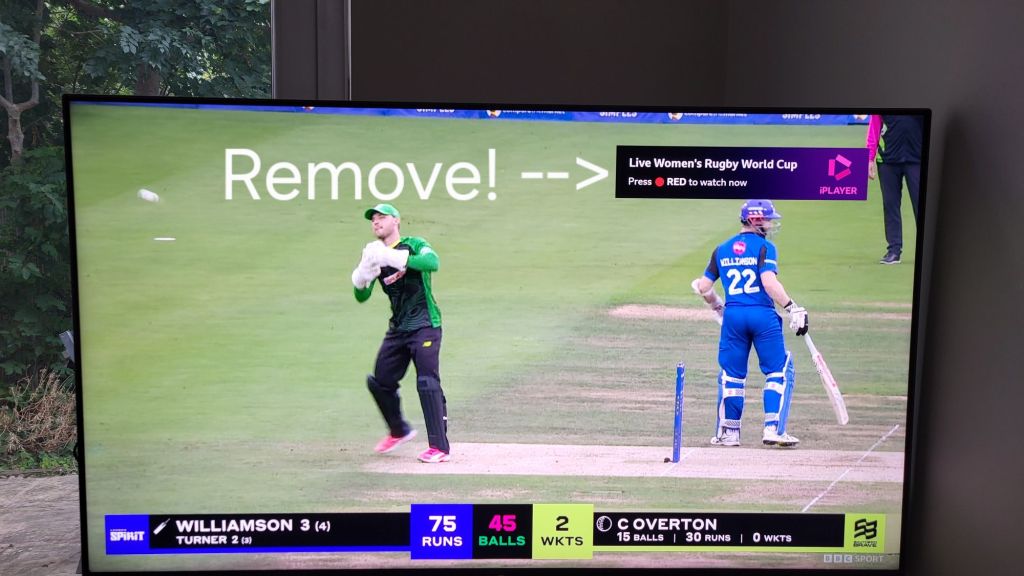
Are you forever pressing the blue button on your Sony Bravia TV to remove the annoying iPlayer banner that pops up top right, advertising the red button? Only to have to do it again each time you switch over to a BBC channel.
Well, you might be delighted to hear that there’s a Bravia TV setting you can change to stop it coming up in the first place, so no need to dismiss that pesky banner ever again!
The steps to achieve this are as follows:
- Change channels to the channel you want the banner to disappear from e.g. 102 BBC2
- Press the settings (cog symbol) button on your remote control
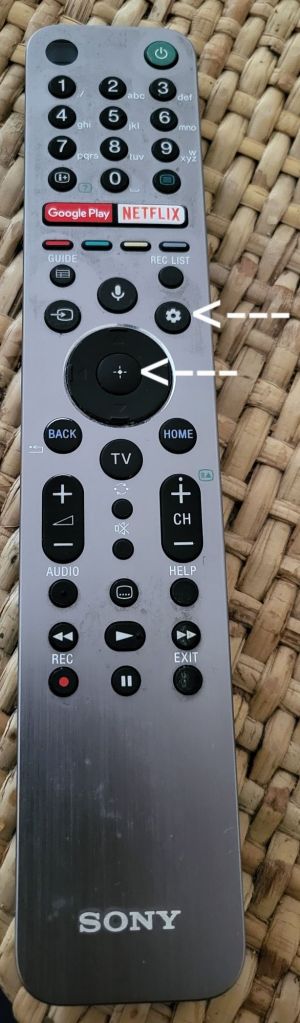
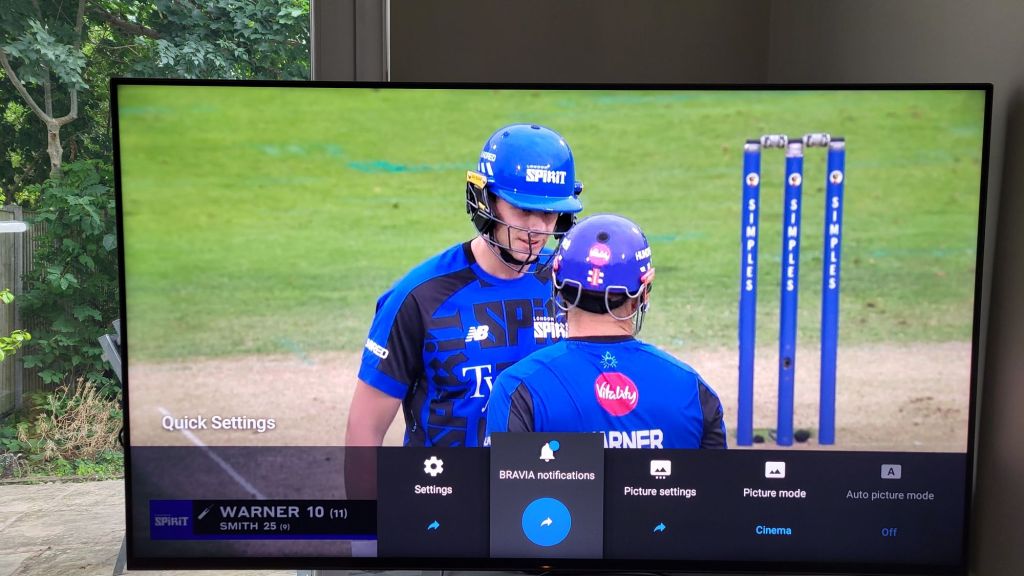
- Scroll left to ‘Settings’ and press select (the middle select button with the cross hairs symbol on your remote)
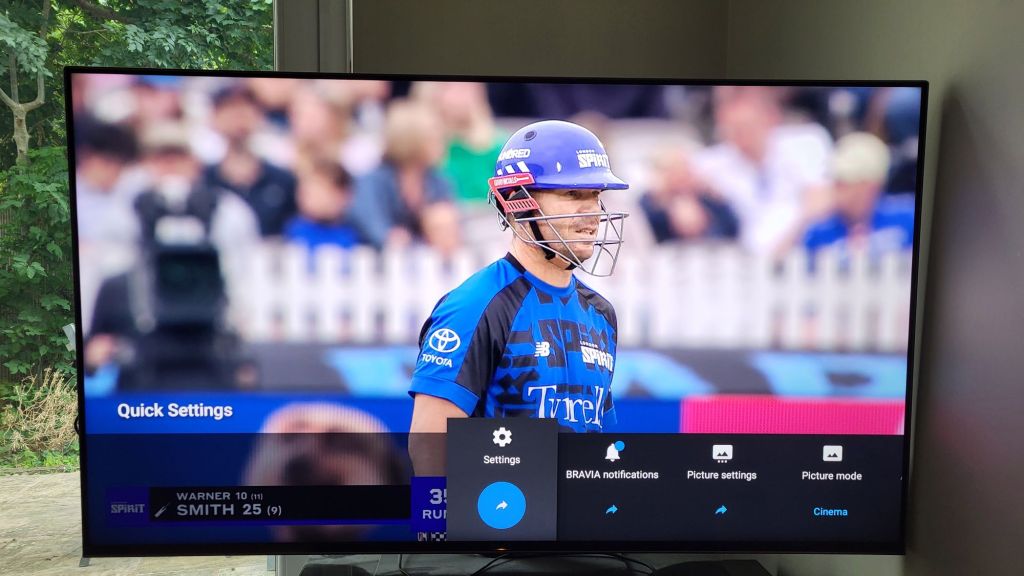
- From the Settings page that appears select ‘Channels & Inputs’
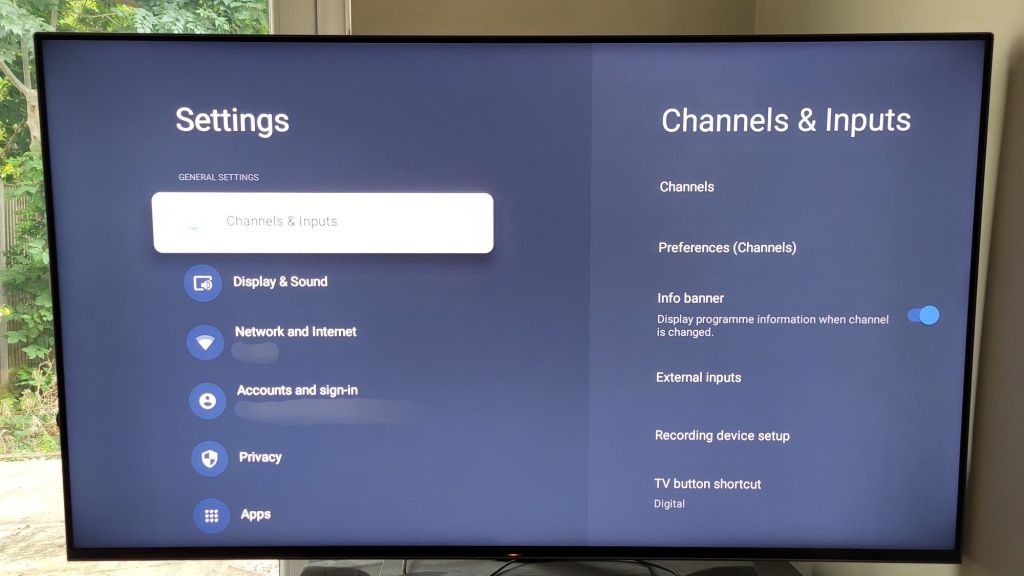
- Scroll down to ‘Preferences (Channels)’ and press select
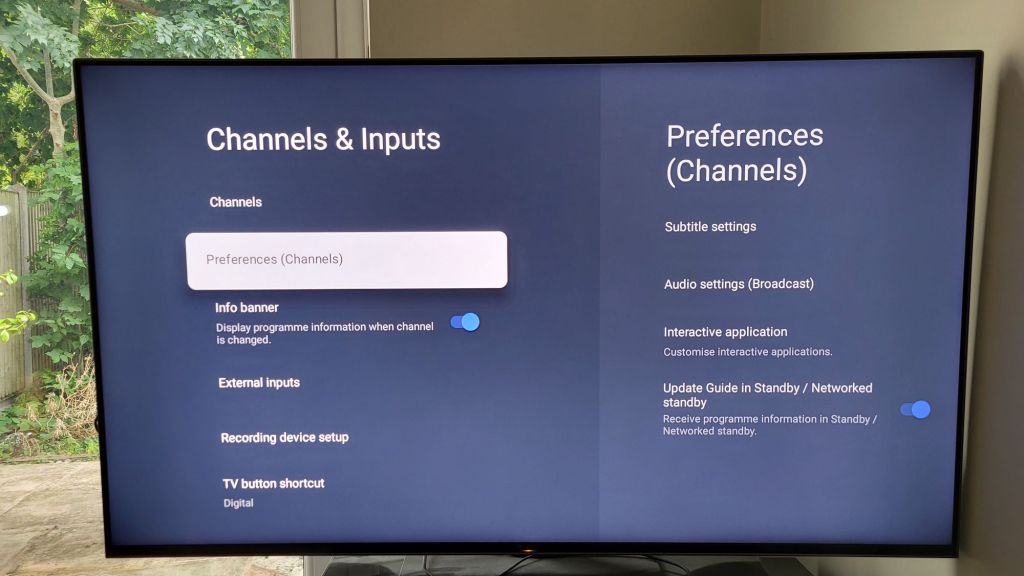
- Scroll down to ‘Interactive application’ and press select
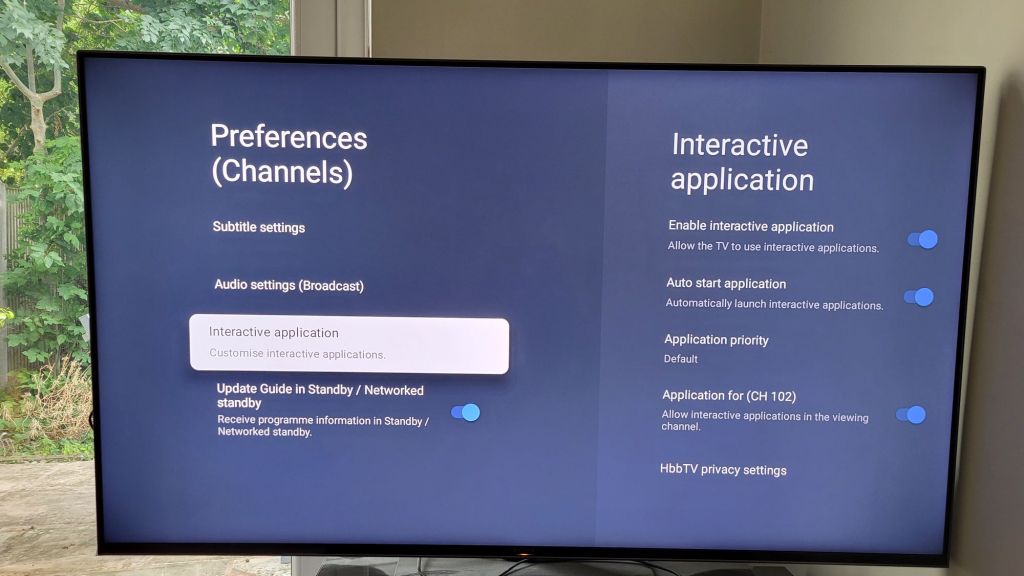
- Scroll down to ‘Application for (CH 102)’ and press select to untoggle (“CH 102” will vary depending on which channel you were originally watching)
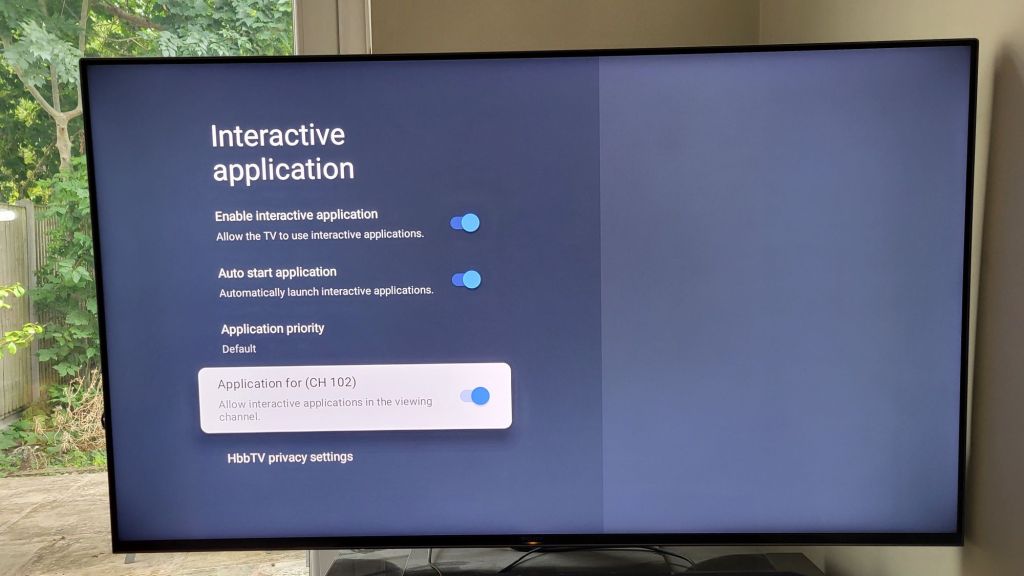
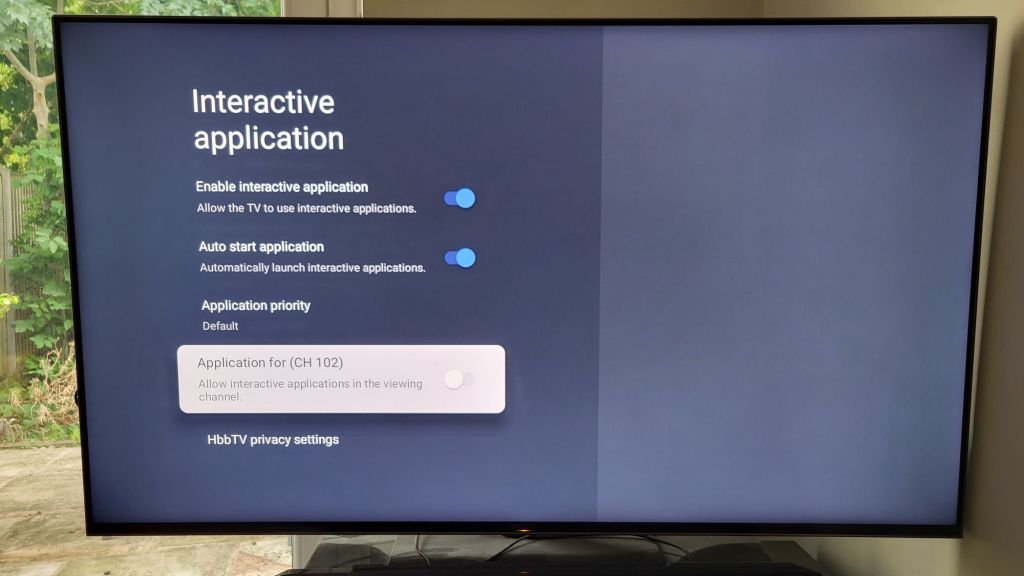
That’s it you’re done!
You can repeat the process for each channel you want the pop-up banner removed from (e.g. 101 BBC1).
Alternatively, press select on ‘Enable interactive application’ to toggle off banners for all channels.
You can still use the red button to bring up iPlayer – it’s just the pop-up advertisement of its availability that has been removed.
Hope this helps!
 GI Chow