Unknown's avatar

About gichow

Founder of http://www.gichow.com - a website providing free information about everyday foods that burn fat fast

HMRC Making Tax Digital (MTD) Webinar for the self-employed and landlords Q&A

If you attended a HMRC-hosted MTD webinar for the self-employed, landlords, and joint property owners, you may have seen your and several other attendee questions fly past in the GoTo Webinar interface without being able to record or screenshot them.

Several questions were raised and answered in the webinar that I attended on 4th December 2025 and these are captured in the video above – pause and/or slow it down to see the Q&A.

These include discussion of MTD software, key dates for beginning to submit quarterly electronic records, what counts as qualifying income (turnover v profit and excluding PAYE salary, pensions), categories (as per existing self assessment form), sole trader and landlord categories, combining income/expense line items, scanned documents v keying in manually, quarterly and full year submissions, mtd software as tax deductible, SA109, separate bank accounts/submissions for property and self employment, joint property expense recording, 24/25 50k rule, calendar quarters, why this is happening and the legal basis, evidence of income/expense, using an accountant, how many tax payments are made/when, correcting previous quarter submissions in the next update, xml/csv/api/Excel, foreign property income, submitting without an agent/book keeper/accountant, lumping together property incomes v self employment incomes, time gap between last quarterly update (7th May) and end of year return (Jan of the following year), HMRC evidence/bank accounts, and more.

Please like or subscribe if you got value 👍

Samsung Health’s Passive Aggressive Audio Guide Messages

“Are you feeling well enough to run today?”

“Sweating is good for you.”

“Enjoy moving and being active.”

“Speeeed up!”

“Slow down.”

Just some of the messages I got through my headphones this morning, interrupting the podcast I was listening to on my weekly park run.

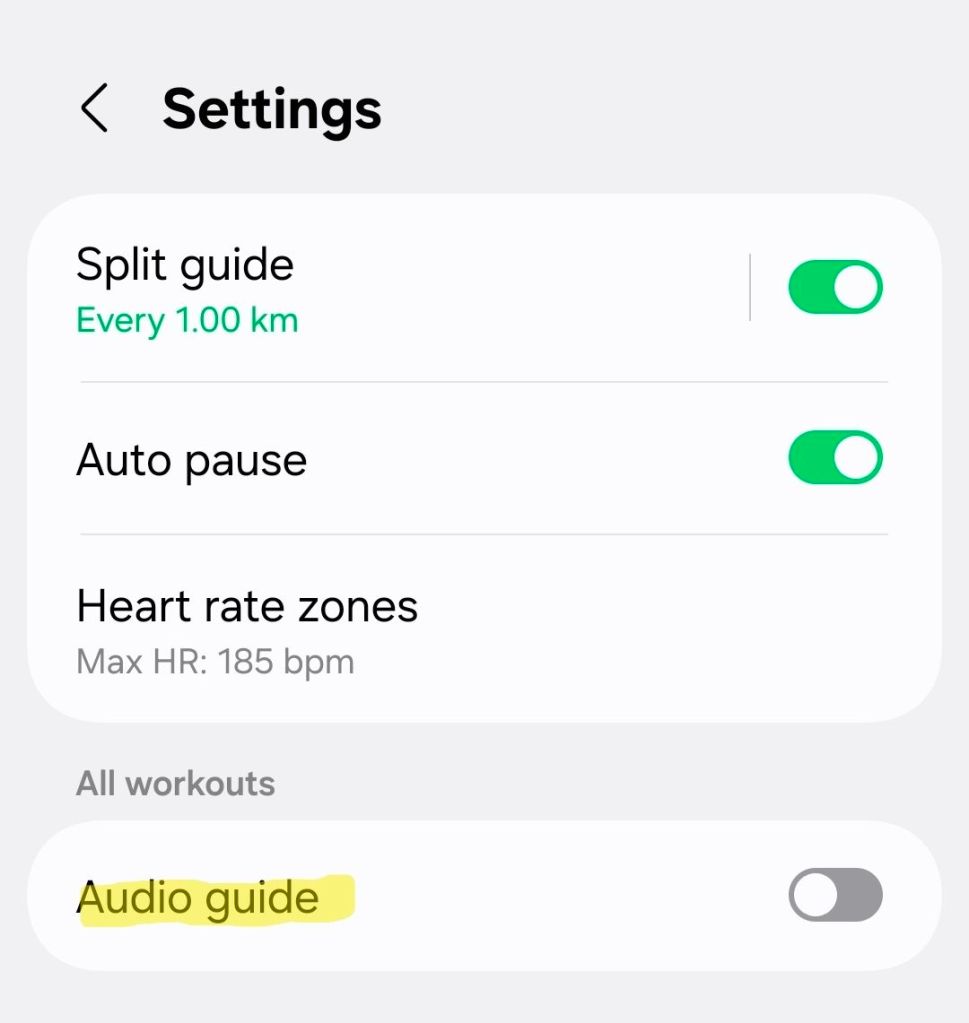
While tempted to throw my phone into the bushes, never to be seen again, I held on to the bitter end and worked out how to turn this unrequested workout advice off.

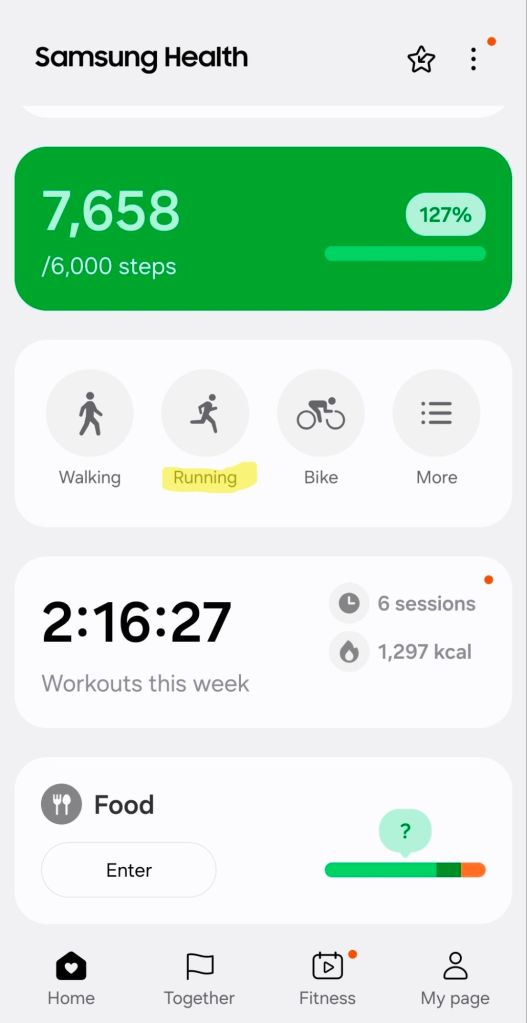
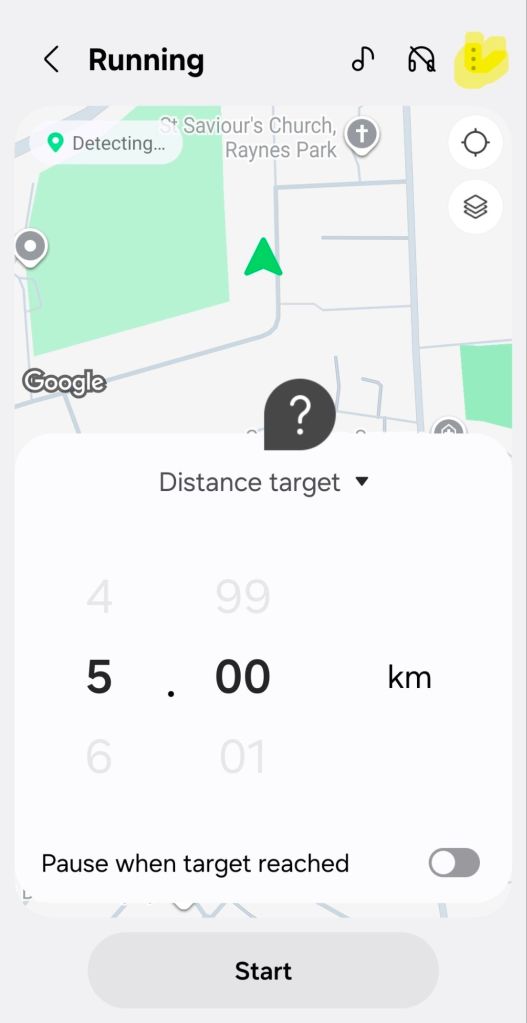
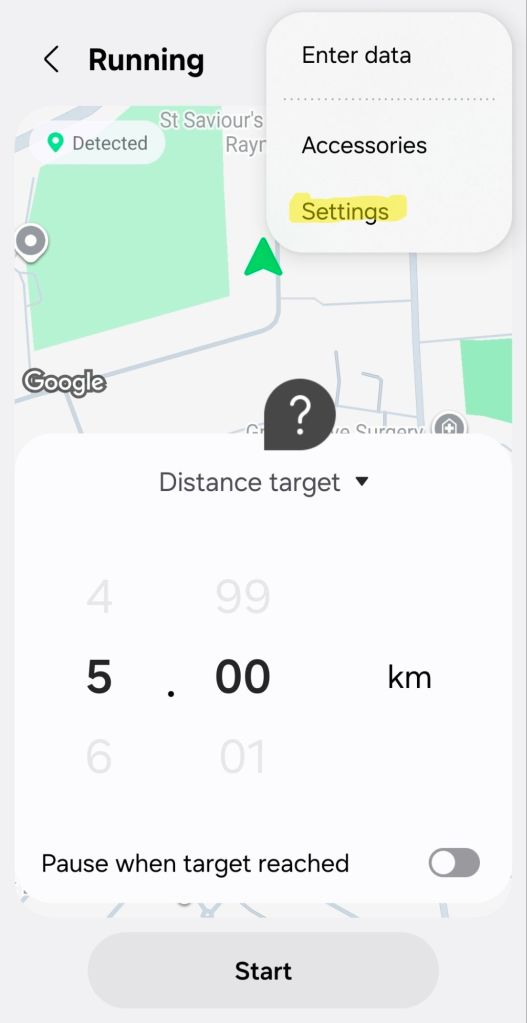
From the Samsung Health app, click Running > 3 dots > Settings > Audio Guide and toggle it off.

Hope this helps! 😬🤬😄

Samsung phone word suggestions and spelling corrections disappeared after Android upgrade

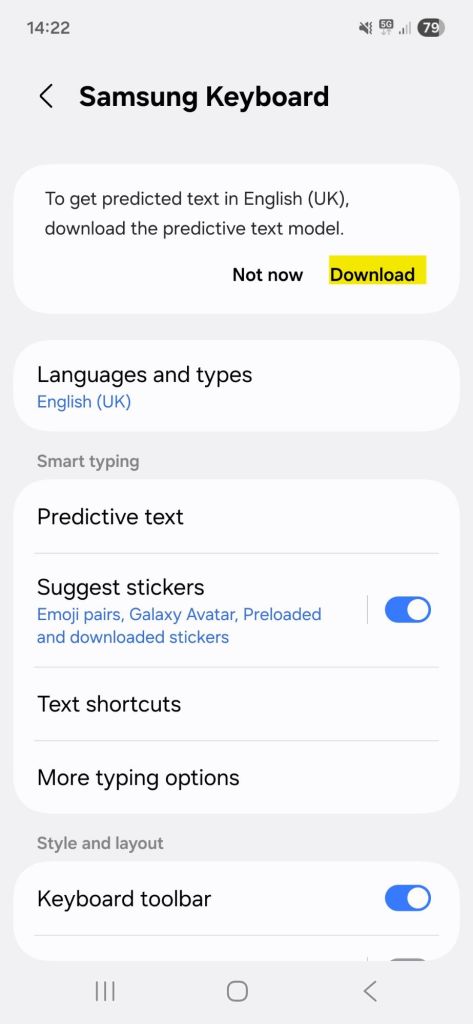
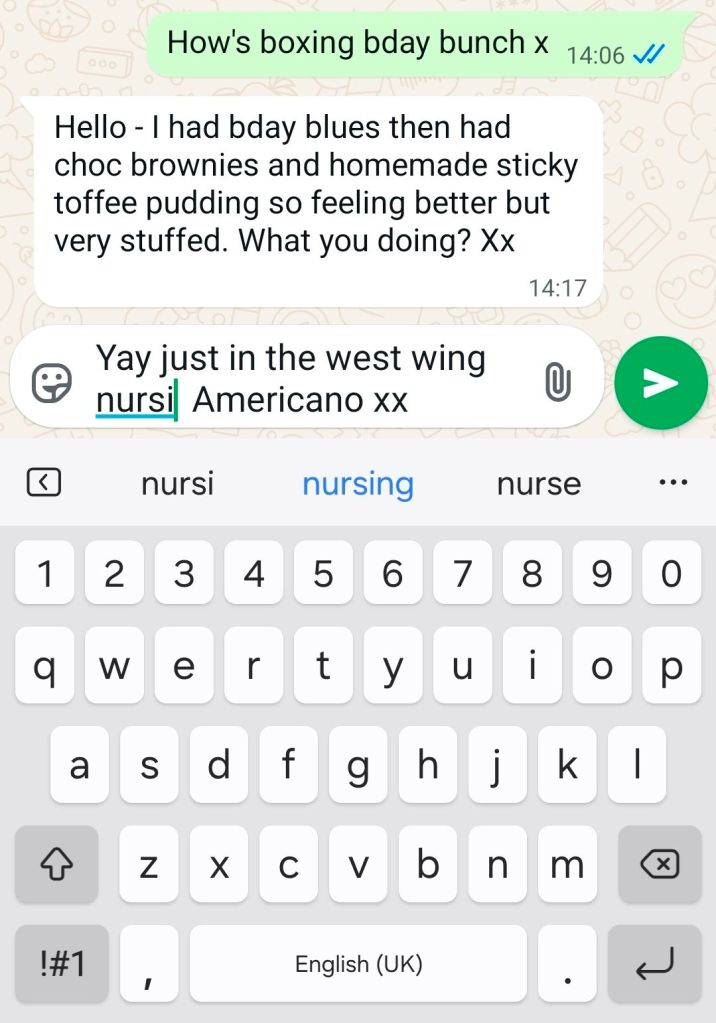
Frustratingly the panel showing word suggestions and spelling corrections above the on-screen keyboard was gone (!) after my phone upgraded to the latest Android and OneUI 😱

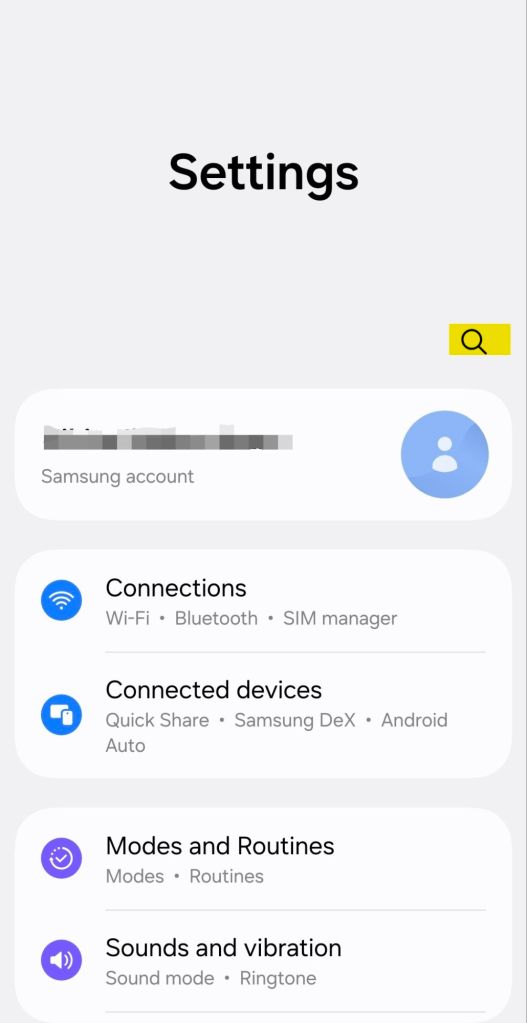
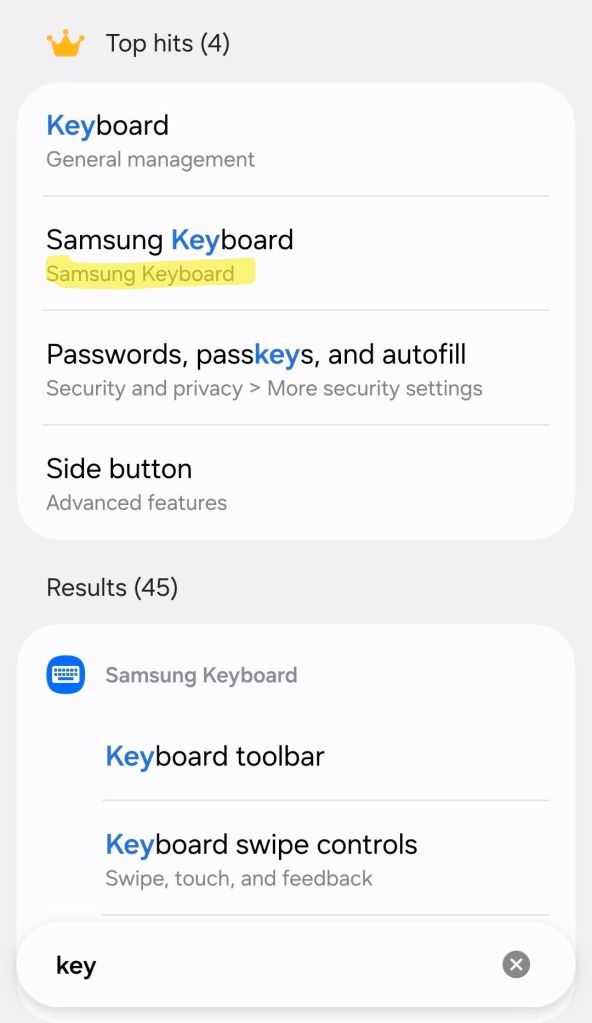
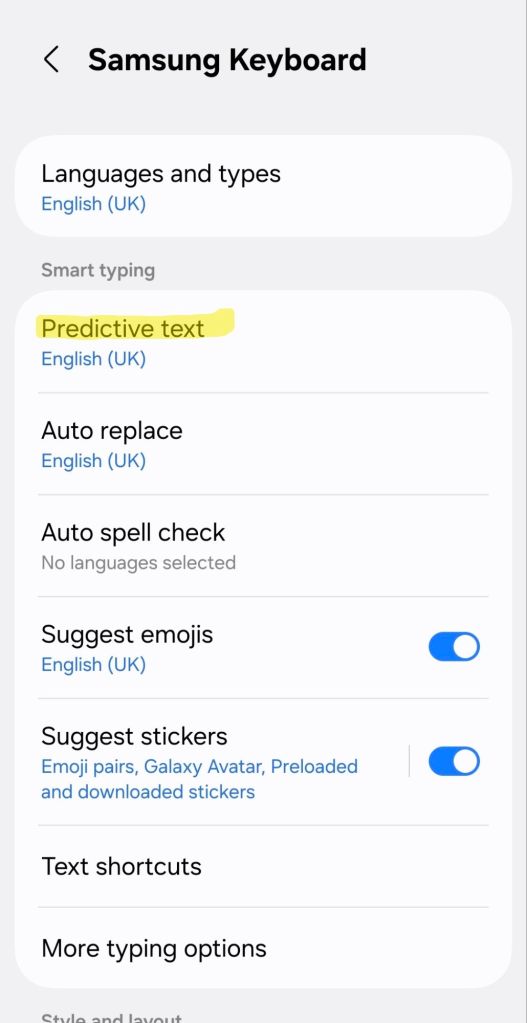
To get them back, go into your phone settings and download the predictive text pack. Voila! 🎉

I didn’t need to do anything else but the screenshots below show the relevant phone settings and the return of the word suggestions line above the keyboard.

AI Film Gallery

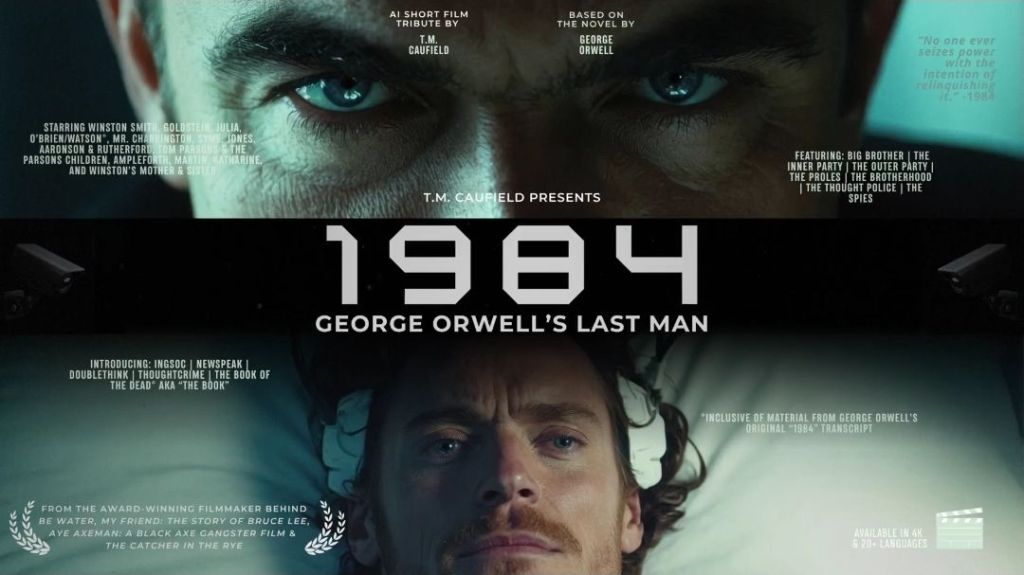
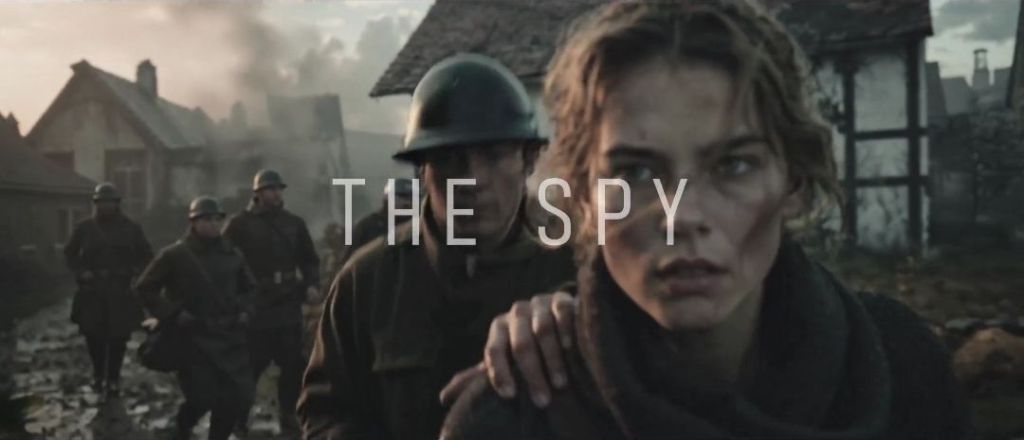
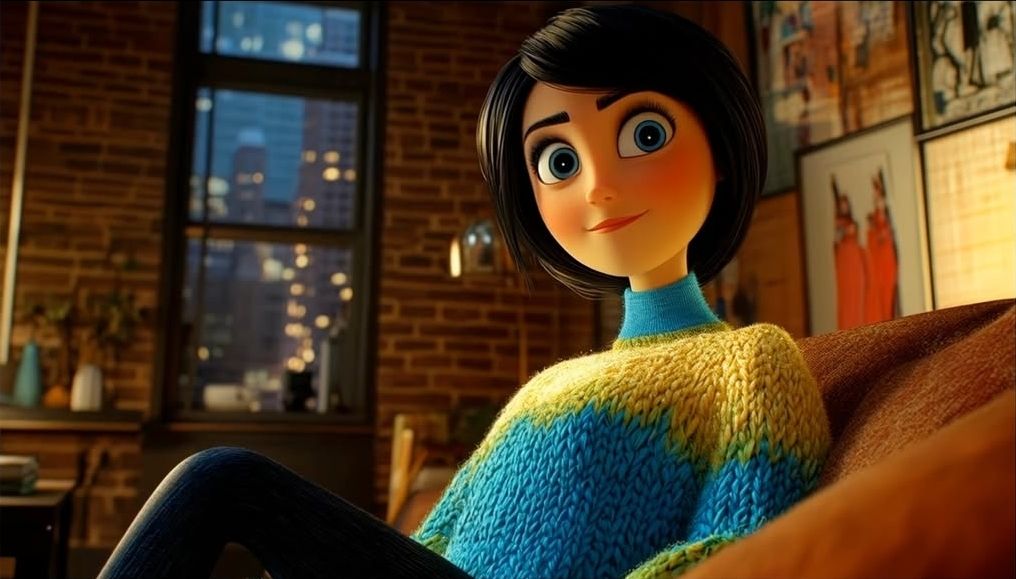
This is the beginning of a list of links to the ‘best’ state of the art AI-generated* films – short or feature length and any genre.

Links are either to the films themselves or the curated galleries exhibiting them.

https://curiousrefuge.com/ai-film-gallery links to YouTube videos e.g.

The Curious Refuge channel is a great place to kick off an exploration of examples of the state of the art in AI generative techniques and films themselves

https://youtube.com/@curiousrefuge

They run competitions too e.g. AI Sketch Comedy films

https://aiff.runwayml.com/ links to unlisted YouTube videos e.g.

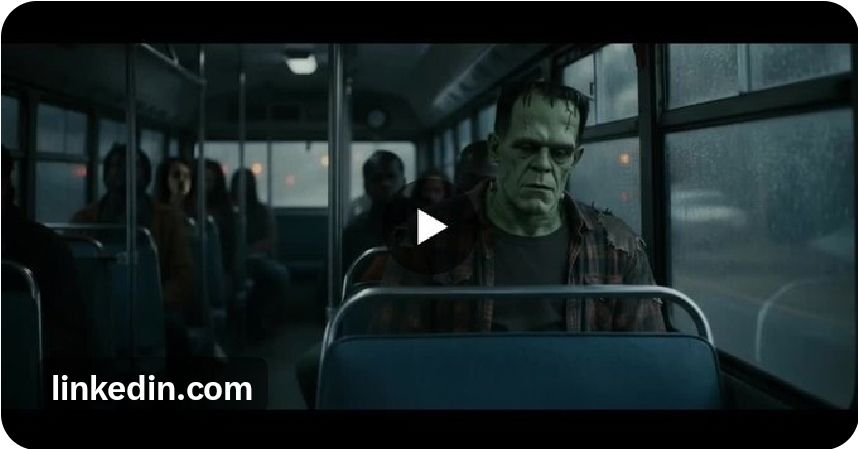
https://www.linkedin.com/posts/simon-meyer-976339160_this-could-be-the-scariest-halloween-film-activity-7389892778144735232-6CYY

https://x.com/TashaCaufield/status/1930654346145939489

https://x.com/MarkLalonde68/status/1984441413258367284

https://x.com/billywoodward/status/1973364986807459915

Hooroo Jackson (https://www.instagram.com/hooroojackson) has created “the first fully AI CG Animated Feature Film” with two versions of the main protagonist. https://escape.ai/watch/6933ec8e538a0a7cb5fabfb8

WickedAI (https://youtube.com/@wickedai) makes AI videos and streams the creative process on Twitch under the account MajinBuu

There are several reddit sites like https://www.reddit.com/r/aifilm/ and https://www.reddit.com/r/aivideo/ which contain films of very variable quality so finding the gems can take a lot of digging e.g.

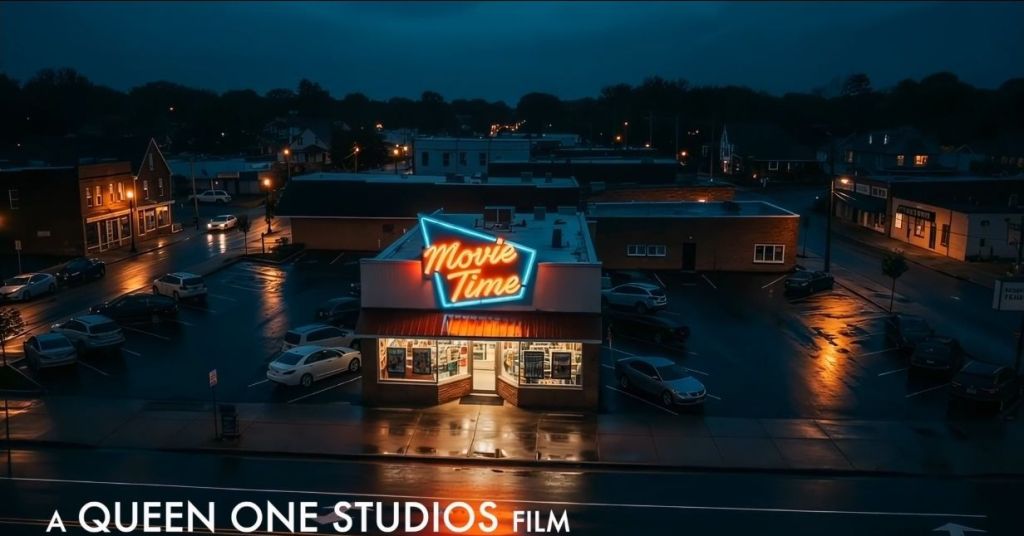
https://filmfreeway.com/RedRocksAIFilmFestival has details of the Red Rocks AI film festival and this is one of the finalists

https://melies.co/ai-film-festivals is a list of AI film festivals with links to them e.g.

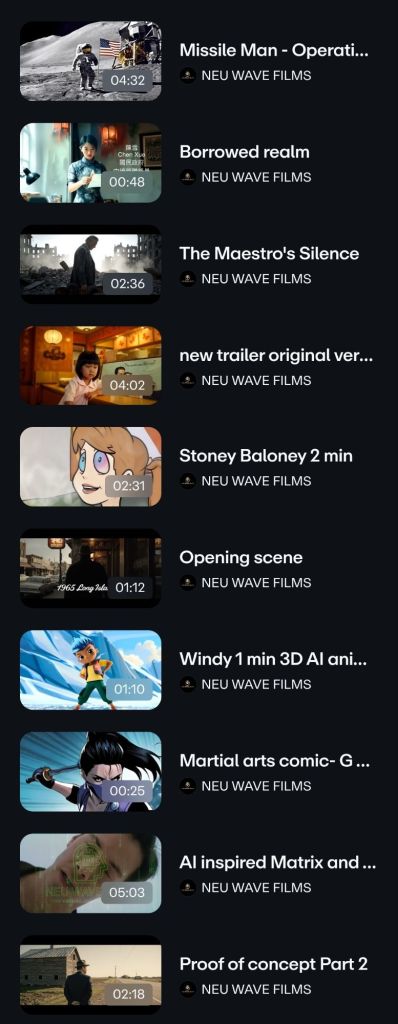
https://aineuwave.com/

https://www.bestaifilms.com/ links to several films but the quality is variable and since many of the films are over a year old, technology has moved on significantly.

The Arizona AI Film & Art Festival https://www.aifilm3.com/ is making winning films available through RadTV.com https://rad.live/ (some films can be viewed without a login)

Some AI film makers self publish e.g. https://x.com/BLVCKLIGHTai on YouTube

and other new platforms like https://escape.ai/ and https://x.com/aimusicvideo

https://escape.ai/watch/68d7246a8361109fa9d7cfb8

If you know a site or have a film online which you think is up there with these please leave a comment and I’ll add to the list.

*AI-generated films are made through workflows that employ an AI video generator like Veo 3.1, Sora 2, LTX 2, Hailou, WAN 2.5, Kling, Runway, HeyGen, Pika, Adobe Firefly, Luma, Grok, Seedance, etc.

The tools can be accessed either

  • natively through the provider’s own website or app
  • via an AI tool aggregator (aka all-in-one AI generation platform) like openart.ai, higgsfield.ai
  • via a locally installed software AI workflow platform like ComfyUI.

A typical workflow involves taking real or generated images, extending them into video, upscaling and adding real or generated dialogue, sound effects and music. The process may optionally be preceded by a script/storyboard stage and followed by a video editing stage which assembles the various elements into a coherent work.

Slow Horses Series 1 Episode 1 (s1e1) cafe location

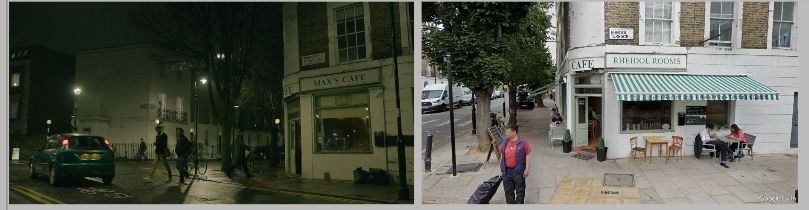
Slow Horses “Max’s Cafe”

I’m slow to the party of this black comedy drama, but thought S1E1 did a great job establishing the premise and characters.

I recognised a few locations but couldn’t place the cafe (“Max’s Cafe” which isn’t run by Max and is where the USB stick incident happens) though the view from it reminded me of Islington’s Georgian architecture.

It’s Rheidol Rooms, 16 Rheidol Terrace, London, though it looks like they changed the signage for the shoot.

https://maps.app.goo.gl/ENtSiNDMz4Sc4r7t7

Thanks to this wonderful blog which shows the locations for every episode of every series 🙌

https://filminglocs.blogspot.com/2024/03/slow-horses-season-1-slow-horses.html

These are the days of our life

Apex Twin, QKThr – a poem

These are the days of our life.
Some are surprising.
Others not.
These are the days of our life.

Somehow, I only recently discovered this piece of music, QKThr, from Aphex Twin’s Drukqs album, through it accompanying a viral Instagram/Tiktok reel.

While familiar with that album’s Avril 14th (another melodic and relaxing piece that uses the same mechanical instrument, a harmonium), this for me hits harder as the youf say.

It feels like all of life’s breaths are captured in its ninety beautiful seconds.

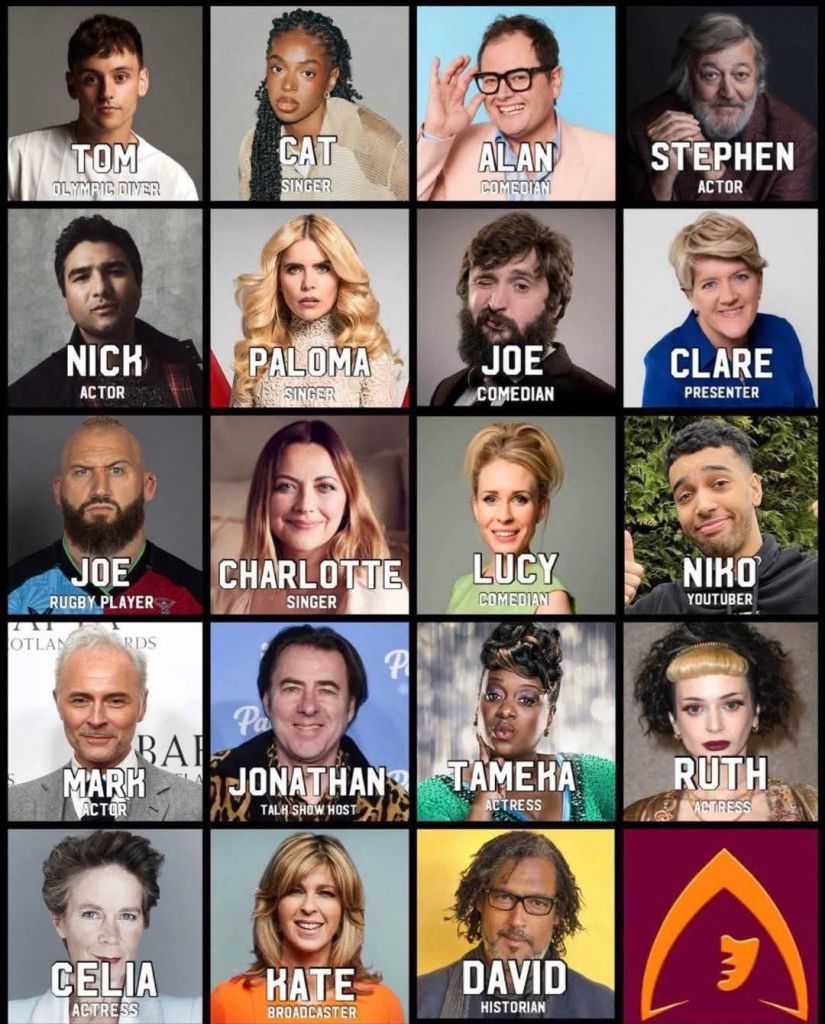
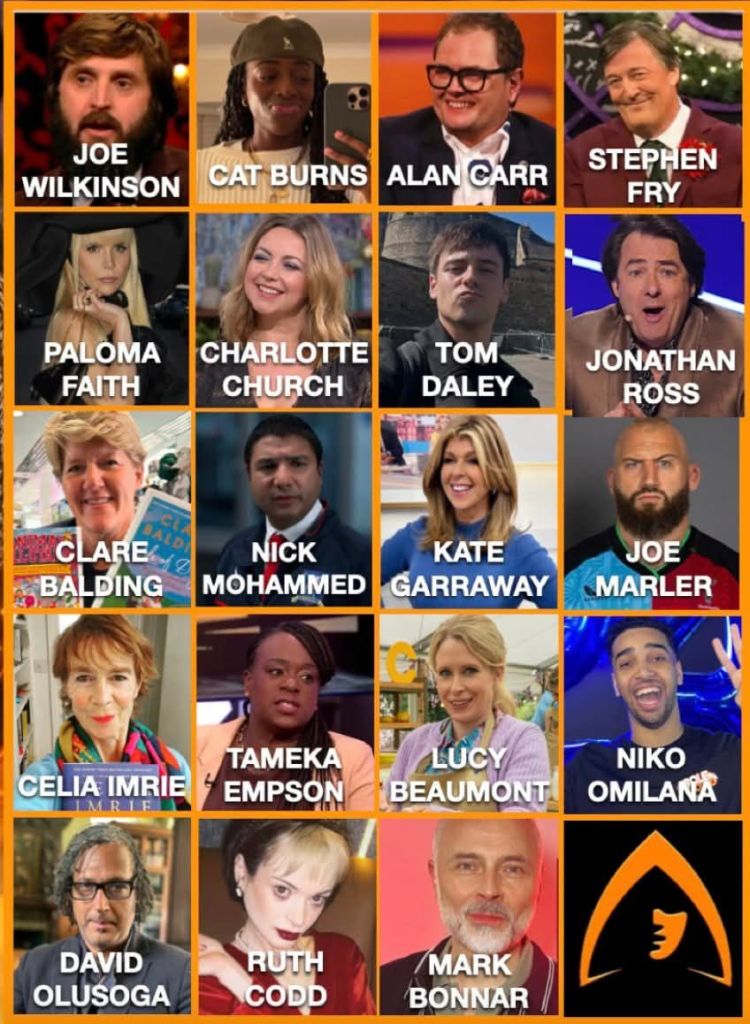
The Celebrity Traitors UK 2025 cast photos, names and socials

Traitors lineup courtesy https://www.reddit.com/r/TheTraitors

So, this is the Celebrity Traitors UK 2025 lineup, courtesy of Reddit and the BBC. I’ve put in bold type the cast members I wasn’t so familiar with. It’s possible for new cast members to join during the series.

Alan Carr – Comedian
Cat Burns – Singer/Songwriter
Celia Imrie – Actor
Charlotte Church – Singer/Activist
Clare Balding – Broadcaster and Author
David Olusoga – Historian and Filmmaker
Joe Marler – Former England Rugby Player and Podcaster
Joe Wilkinson – Comedian
Jonathan Ross – Presenter
Kate Garraway – Broadcaster
Lucy Beaumont – Comedian
Mark Bonnar – Actor
Nick Mohammed – Actor and Comedian
Niko Omilana – Content Creator
Paloma Faith – Singer/Songwriter and Actor
Ruth Codd – Actor
Stephen Fry – Actor, Writer, Presenter
Tameka Empson – Actor and Comedian
Tom Daley – Olympian, Author, Broadcaster and Entrepreneur

Traitors lineup courtesy https://www.facebook.com/traitorshq/

Other resources with information and real-time comments include both official and fan accounts and areas on Twitter (X), Instagram, Facebook, Reddit, Discord, YouTube and the BBC website.

https://x.com/the_traitors_ (official)

https://x.com/TheTraitorsUK (fan)

https://www.instagram.com/the_traitors_hq (fan)

https://www.facebook.com/traitorshq/ (fan)

https://www.facebook.com/celebritytraitorshq/ (fan)

https://www.reddit.com/r/TheTraitors/ (fan)

https://discord.com/invite/nGMshCf3pt (fan)

The Traitors on YouTube (BBC)

https://www.bbc.co.uk/mediacentre/articles/2025/the-celebrity-traitors (official)

https://www.bbc.co.uk/programmes/p0db9b2t (official)

Comments on social media often use hashtags so they can be found in real time during the broadcast, including:

#TheTraitors

#TheCelebrityTraitors

#CelebrityTraitors

#TheTraitorsUK

#ClaudiaWinkleman

If you know any other popular resources feel free to drop a comment!

Making a Tyler The Creator song for free in my phone’s browser with Strudel

Strudel (available at the website strudel.cc) is a browser-based music live-coding environment used by DJs to create ambient electronic sounds at “algoraves”.

The software is built in Javascript, as a port from another “livecoding” environment called tidalcycles. This means it will run entirely in a browser alone. In fact, once the code has been downloaded, it’s not even necessary to maintain an internet connection.

While it is very flexible and there are countless functions and emulated instruments to allow you to create and manipulate soundscapes, it’s designed to create and run regular repeating patterns more than a music track with a beginning, middle and end.

There is lots of documentation, however it’s not always obvious how to do some very basic things like play several instruments at the same time and sequence patterns. The video outlines how to do this through the example of trying to “cover” of Tyler The Creator’s “I’ll Take Care Of You” from scratch.

While there are several free DAWs (digital audio workstations), they typically require downloading an app and/or use of a desktop browser. Strudel runs in a mobile phone Chrome browser and combines authentic sounding instruments with an efficient music coding language to democratise music making.


I found out about Strudel only very recently and was blown away by the idea of it – that one can quickly create pro-sounding drum machine, synth and sample patterns with just a few lines of code running in a browser on any device – even a mobile phone with a browser.


I was aware of some free apps for making music like BandLab, and of course trackers have been around for decades but the potential power of this relatively new technology to allow anyone to create cool sounding music without much academic understanding of music theory or having spent days and years learning an instrument seemed to open up music making.


Strudel is great for serendipitously discovering pleasing patterns and loops and easily copy/pasting musical fragments and ideas but I struggled to work out how to create a regular linear piece of music with parts that play in parallel and sequence, even with the shedload of documentation and examples and videos.


By studying the various sources including Reddit forums and the various Strudel code covers people have shared I gradually worked out how to use Strudel more like a DAW for creating a piece of music rather than just a tool to play patterns for inclusion in a DJ set.


To both help me learn and share the knowledge I created this ‘cover’ video (it’s not a full cover!) that walks through some of the most important Strudel elements, concepts and techniques necessary to get going with Strudel as a music composition tool (rather than just an adjunct to other gear).


I hope people, and newbies in particular, find it a useful quick intro to Strudel.
The biggest shortcoming/difficulty I found was finding/creating sounds similar enough to those I heard in pieces of music I enjoyed which can give ‘covers’ a very amateur and childish feel.

I guess Strudel will never compete with a real DAW in that way but still think it’s an amazing and inspiring technology that could maybe help people better understand music (e.g. it helped me understand how some catchy drum patterns work where even in basic 4/4 notes can be longer than a quaver but shorter than a crotchet).


Hope it helps some on their Strudel/musical journey 😃

How to permanently remove the iPlayer banner on Sony Bravia TVs?

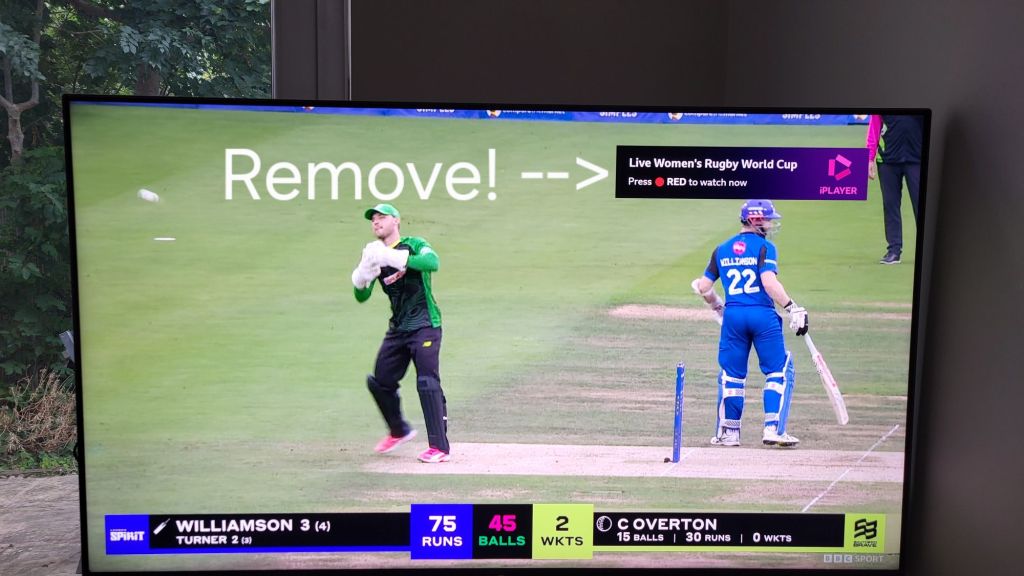
Are you forever pressing the blue button on your Sony Bravia TV to remove the annoying iPlayer banner that pops up top right, advertising the red button? Only to have to do it again each time you switch over to a BBC channel.

Well, you might be delighted to hear that there’s a Bravia TV setting you can change to stop it coming up in the first place, so no need to dismiss that pesky banner ever again!

The steps to achieve this are as follows:

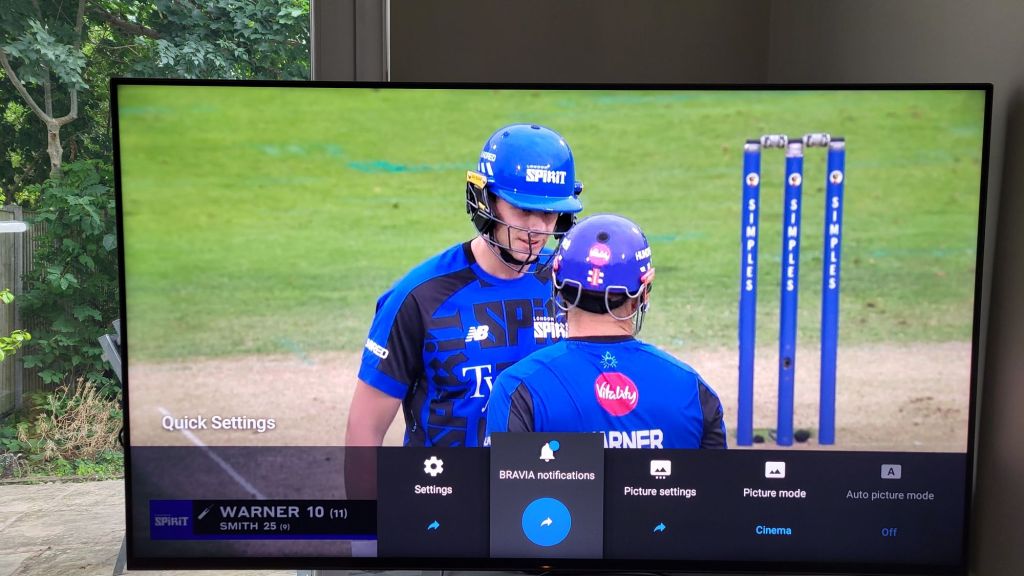
  • Change channels to the channel you want the banner to disappear from e.g. 102 BBC2
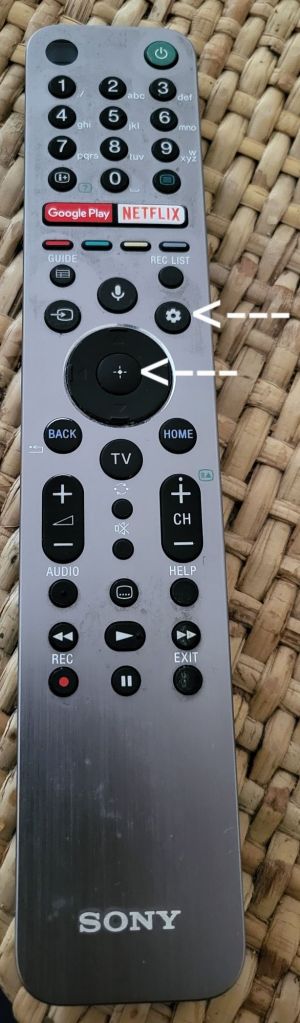
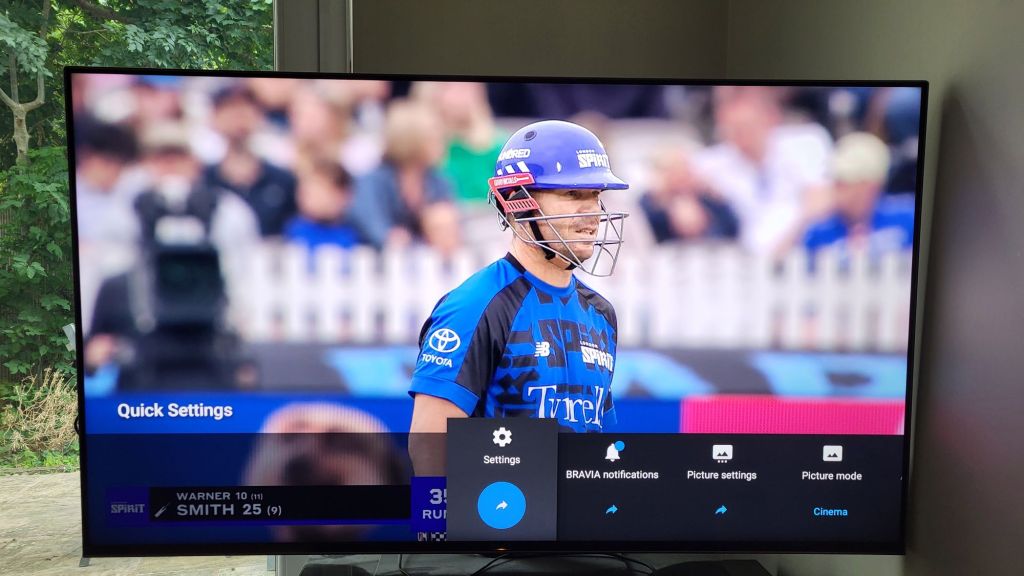
  • Press the settings (cog symbol) button on your remote control
  • Scroll left to ‘Settings’ and press select (the middle select button with the cross hairs symbol on your remote)
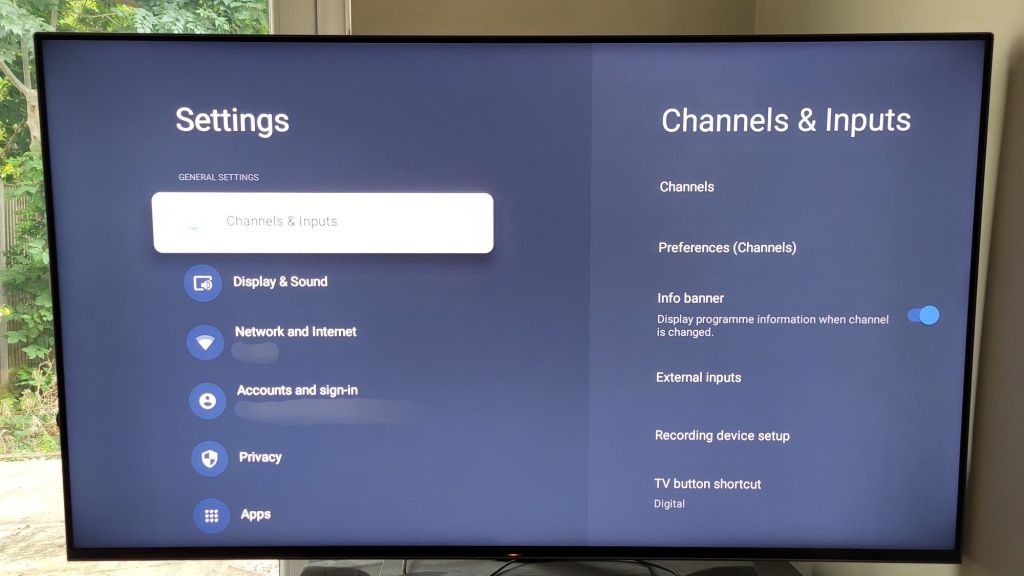
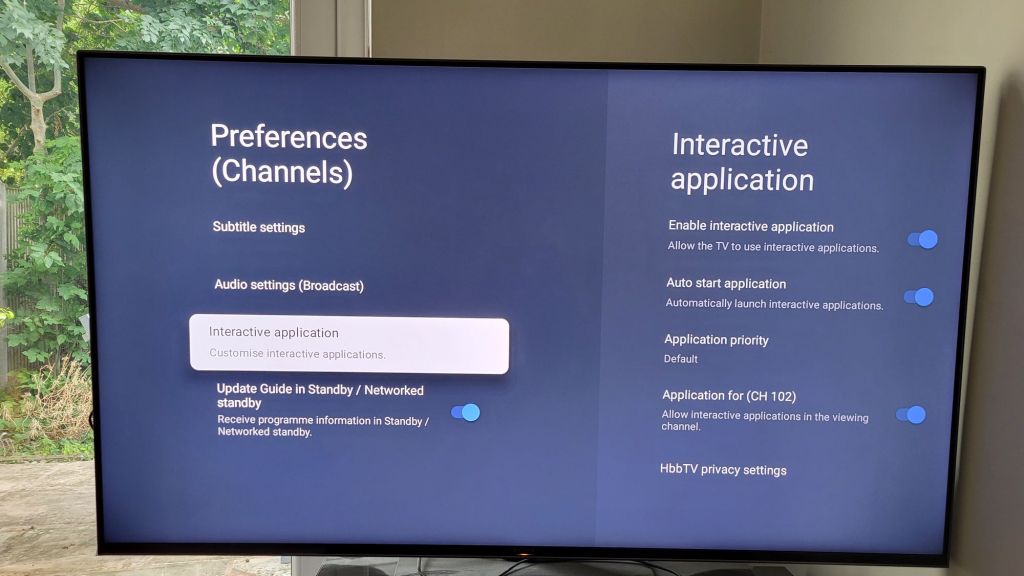
  • From the Settings page that appears select ‘Channels & Inputs’
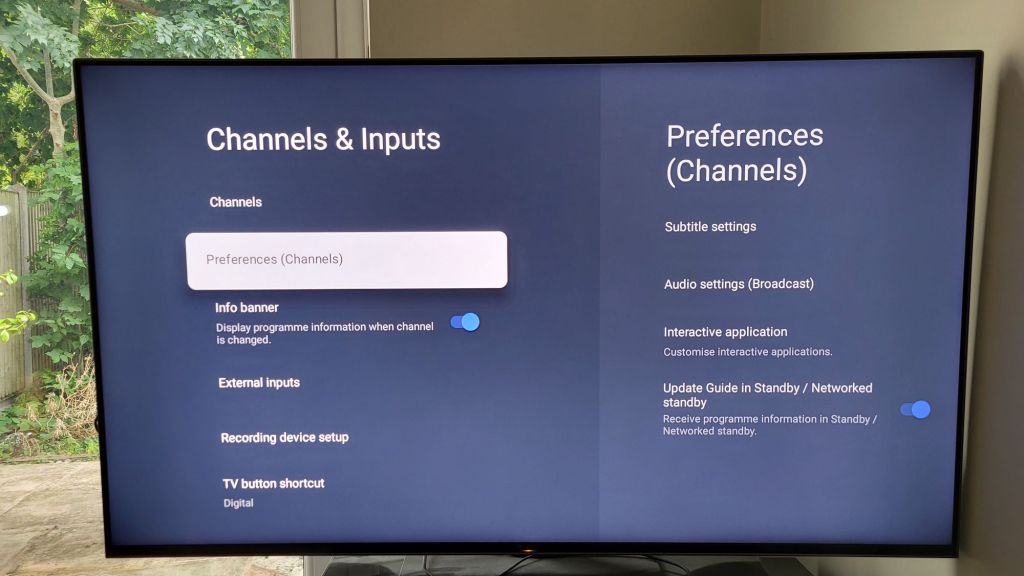
  • Scroll down to ‘Preferences (Channels)’ and press select
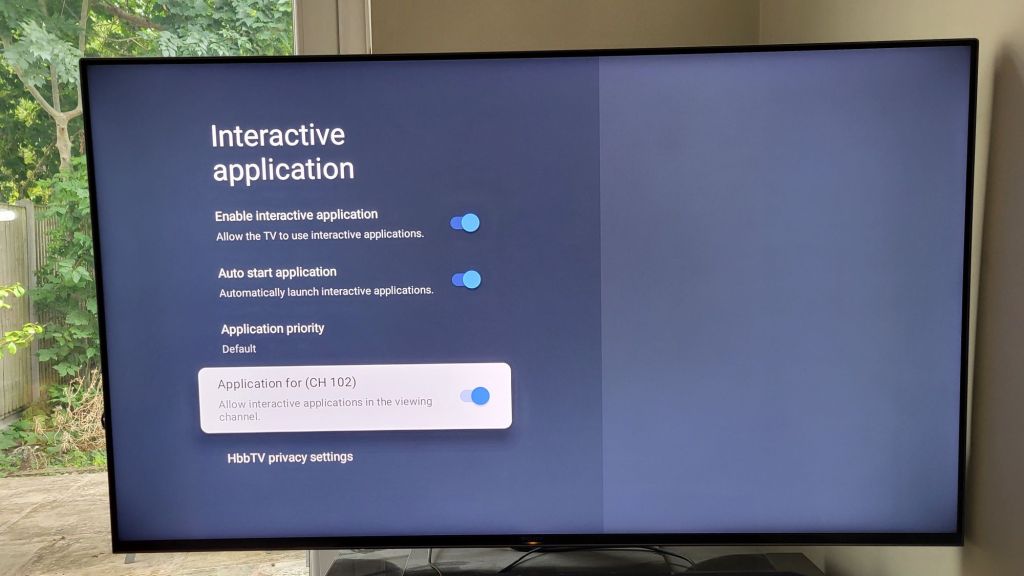
  • Scroll down to ‘Interactive application’ and press select
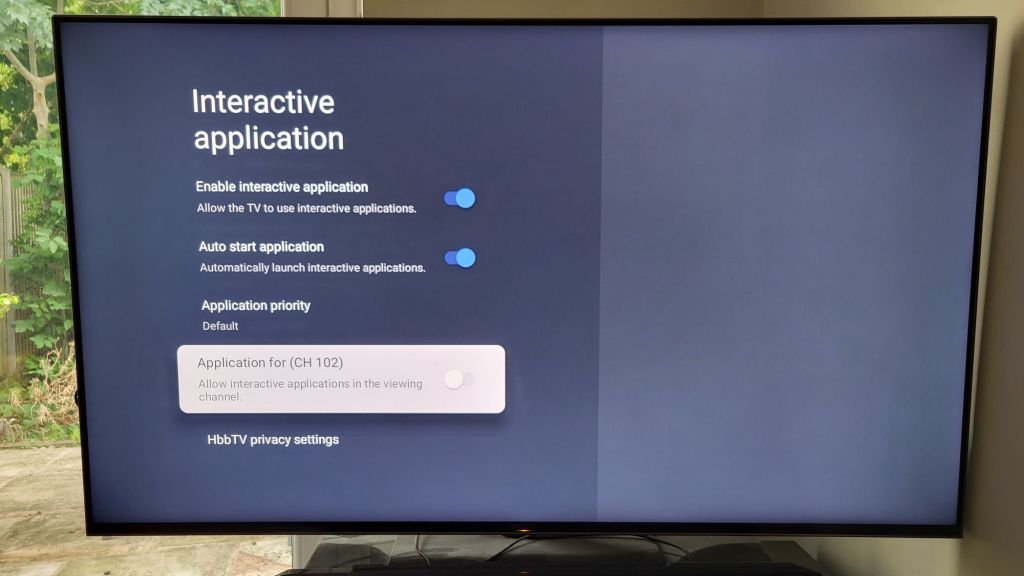
  • Scroll down to ‘Application for (CH 102)’ and press select to untoggle (“CH 102” will vary depending on which channel you were originally watching)

That’s it you’re done!

You can repeat the process for each channel you want the pop-up banner removed from (e.g. 101 BBC1).

Alternatively, press select on ‘Enable interactive application’ to toggle off banners for all channels.

You can still use the red button to bring up iPlayer – it’s just the pop-up advertisement of its availability that has been removed.

Hope this helps!

Gen Z Boss And A Mini original video – where is it? And why so popular?

So where is the original “Gen Z boss and a mini” viral trend video widely shared through TikTok and Instagram?

Well, trawling through the “the breakout hack” or tbh skincare (#tbhskincare and @tbhskincare_)  posts from July 2014 they look to have been removed.

All that remains on Insta and Tiktok are the response videos to their original viral video:

https://vm.tiktok.com/ZNdCatNSB/

The original video was scraped and is still widely available e.g. via this X post

And on YouTube here

Why was the original video removed? We can only guess. Maybe it was considered politically incorrect and/or not something the brand wanted to continue to be associated with. Feel free to leave a comment if you know for sure.

The trend was itself started by another trend video, “Boots and a slick back bun” or “Boots and a slicked-back bun”, the original of which remains on Tiktok

https://vm.tiktok.com/ZNdCa7Um1/

These articles contains screenshots and explain the background to that video.

https://www.independent.co.uk/life-style/boots-slick-back-bun-tiktok-trend-b2583952.html

Why was the original video so popular? Perhaps the fashion style archetypes described resonated. Certainly, the outfits are commonly seen in London and have become almost a kind of standard uniform for young British girls.

The “lyrics” have become a shorthand to describe a look using a concise and catchy 5-beat formula that can be syncopated.

“Boots and a slicked-back bun” duh duh-duh duh duh duh

“Cowboy boots and a blowy” duh duh duh duh-duh duh-duh

“Sambas and a little red bag”duh-duh duh-duh duh-duh duh duh

The New Zealand skin care brand took the concept and extended it from the sartorial to physical and other attributes.

“Gen Z boss and a mini”

“Itty-bitty titties and a bob”

“Five foot three and a attitude”

“Secret product and a trench [coat]”

“New Frank Green and a sneaky link”

“Fake tan hands and a hoop”

Writers often use character descriptions to create an image of who a person is in the reader’s mind.

Readers/viewers often recognise such characters from their own lives, perhaps because society and families create people whose bundle of traits is so similar they could have emerged from a cookie-cutter or jelly mould.

These viral videos condense such character descriptions in an ultra concise and catchy way, making them easy to understand and process.

Of course everyone is an individual but stereotyping is something all of us do to characterise the information around us into more easily understandable chunks. Stereotyping doesn’t just apply to people but is particularly useful in any domain where there is complexity.

This technique of employing two or three key descriptors for characters is also hugely useful for writers to ensure the characters that gradually take shape in their minds become coherent and then remain consistent.

There are of course other aspects to these videos which might explain why they went viral, including the political, economic, social, legal, technological, and environmental aspects.

Clearly, from the comments at the time, a flavour of which is in the ironic reaction video subsequently released, it ‘triggered’ a lot of people and both the original content and unfiltered honest reactions to it may have connected with viewers and made them feel less isolated in their own life experiences.