How to print multiple double-sided copies of a document on a printer that prints on just one side?

Printing multiple copies of multiple page documents double-sided on a printer that can only print on one side of paper at a time requires printing the same sheet of paper twice.

So how does one do it as simply as possible? Without having to manually reorder printed pages or press print multiple times or accidentally miss pages or collate pages in your copies in the wrong order!

Let’s start with the simpler case of a document with an even number of pages, for example, a six-page document that is desired to be printed double-sided on three sheets of paper.

(1) In the print dialogue, tick odd pages only. In the Adobe Acrobat print dialogue there is an option to print just the odd (or just the even) pages but if you are missing this option you can manually enter the pages to print as 1, 3, 5, etc. Enter the number of copies of the document you want e.g. 3. Typically, the collate option will be automatically checked – this is what you want and just means that the pages will be printed as normal in order, rather than 3 copies of page 1 followed by 3 copies of page 2, etc. Ensure that the ‘Reverse order’ checkbox is not ticked; sometimes it is ticked by default in which case untick it.

(2) Print your document with these options and you will get e.g. 3 copies of your document but with just the odd pages printed. So, for our six-page document example, we will have 9 sheets of paper printed on one side with pages 1,3,5,1,3,5,1,3,5 printed in that order – so in the output tray, from top to bottom, the page order is 5,3,1,5,3,1,5,3,1 (each upside down).

(3) Put the pages you just printed from the output tray back into the paper source tray with the blank side facing up* and the top of the page innermost (so the last page of the ream just printed is the first page fed).

(4) In the print dialogue, select both the even pages checkbox and the ‘Reverse order‘ checkbox. Again, Adobe Acrobat has option checkboxes to achieve this but if you are missing these options you can manually enter the pages to print as e.g. 6, 4, 2. Enter the number of copies of the document you want as before e.g. 3. Again, typically, the collate option will be automatically checked which is what you want.

(5) Print your document with these options and that’s it! You will get, say, 3 copies of your document printed double-sided with each copy’s pages in the correct order in your output tray.

If you have an odd number of pages in your document then:

1) before step (3) above, remove the very last sheet of paper from each of the copies in your stack of copies. So, for example, if you are making 3 copies of a 5-page document, you will have 9 sheets after step (2) with page numbers: 1,3,5,1,3,5,1,3,5. In this case, remove all the last sheets of paper from each copy so you have just page numbers: 1,3,1,3,1,3.

2) after step (5) above, add back in the sheet you took away to each copy, so in the previous example you will have 9 sheets of paper: pages 1/2 on the first sheet, pages 3/4 on the second sheet, page 5 on the third sheet, page 1/2 on the fourth sheet and so on up to page 5 on the ninth sheet.

*It is worth performing a test of the whole process with just a single copy of your document to make sure you know how to feed the sheets of paper into your printer in the correct orientation, so you don’t print on the same side of paper twice. If your printer behaves differently to mine (Samsung ML-1665), where the top side of the topmost sheet in the bottom paper feed tray is printed on (innermost becomes top of page) and this ends up face down in the top output tray (so the last page printed is topmost in the output tray; top of page is outermost), you may have to revise the process slightly but the basic principle should still apply.

Hope this helps!
Dobble world record

If you’re curious about how fast the fastest Dobble players play or who the fastest Dobble player is take a look at these!

Playing Dobble

I’m consistently slower at recognising the matching symbol than the winner in this game.

Sometimes, I’m very close and see a match just fractionally before an opponent but a miss is as good as a mile!

I wonder what makes some people faster than others? Is there a strategy they are using – like finding matching colours? Do you know a faster player? Is there a Dobble record holder? Some play their hand with cards that are already face up – is that the ‘legal’ method?

If you know the answer to any of these questions or have other questions about this simple but fun game leave a comment against the video above – perhaps someone will have an answer!

How to Remove: Samsung Email shows “Syncing emails…” email notification icon all the time

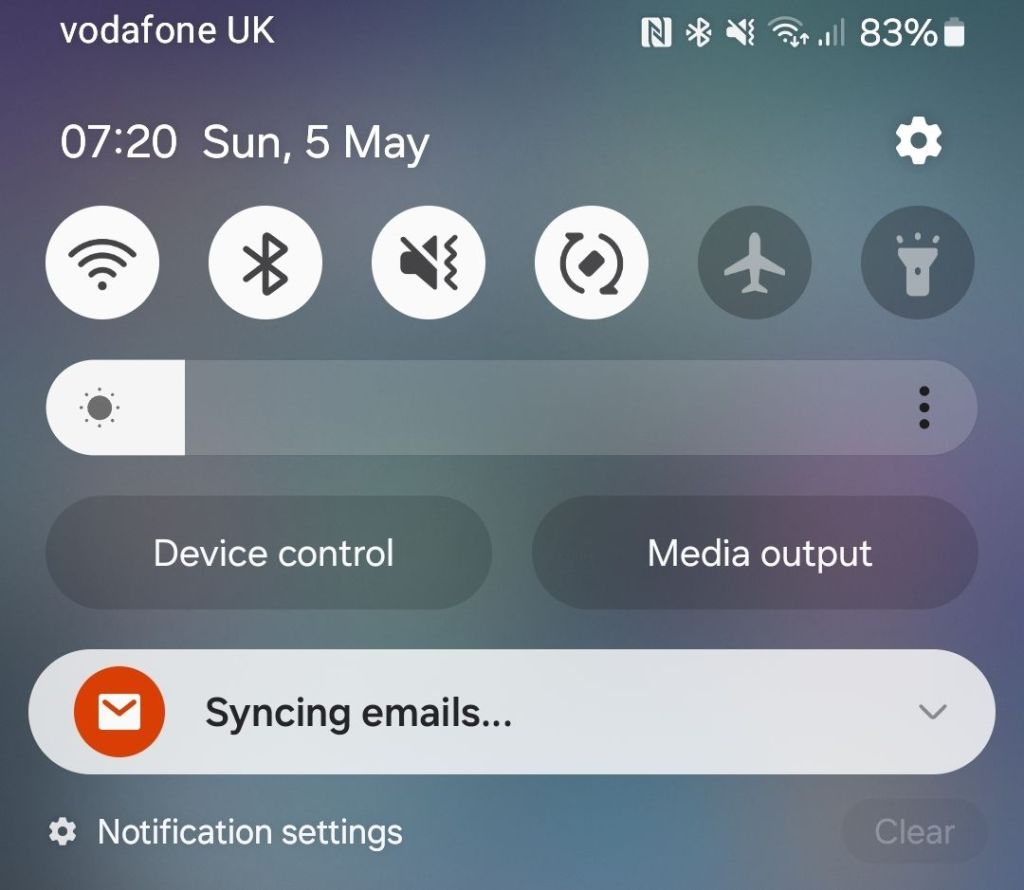
Samsung Syncing emails notification

This article is now available as a short 50 second video so you can simply start there and watch the steps more clearly instead of reading this!

If you’re seeing the email notification icon constantly at the top of your phone, it can be quite distracting since it seems like one has emails even when one doesn’t.

Samsung Email notification icon

I got this notification on my Samsung S21FE phone this morning, 5th May 2024, and swiping down one can see that the reason for it is “syncing emails” rather than a new email having arrived but how does one fix this? Googling, there is a Samsung Community forum thread with some feedback on the issue however you need to be signed in with a Samsung account to reply.

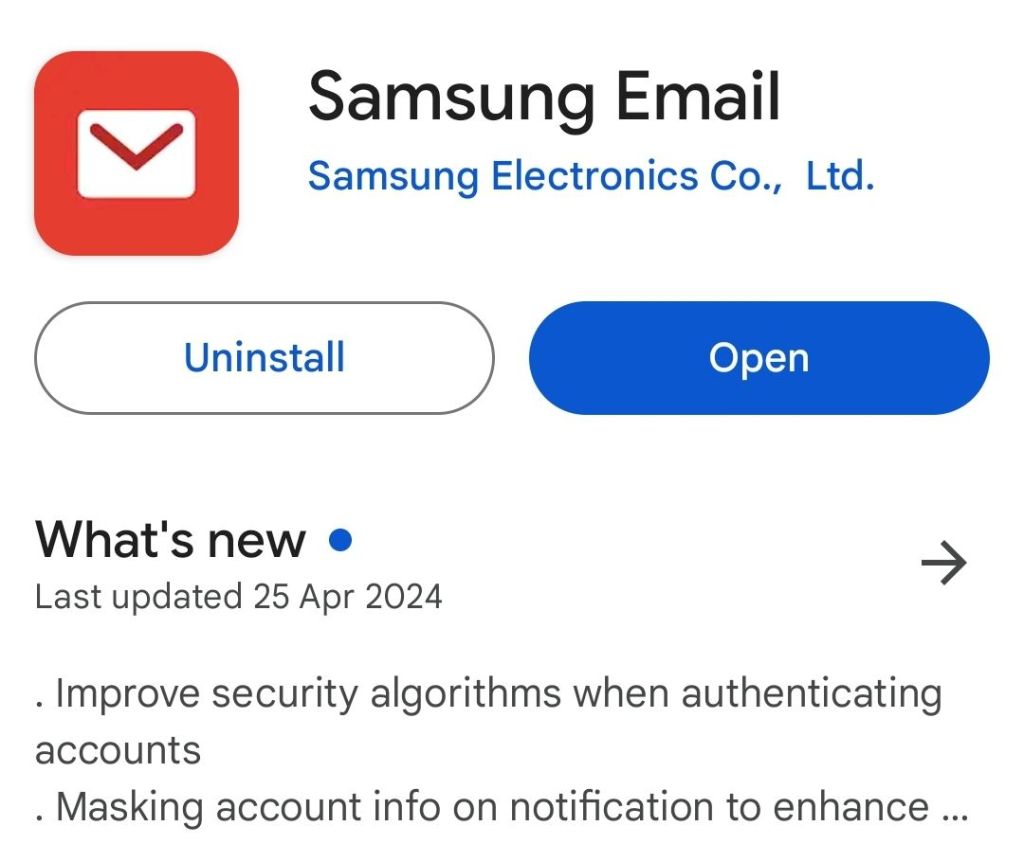
One of the posts says reinstalling fixes the issue but going through the hassle of reinstalling the “Samsung Email” app (white envelope on red background) and adding in all one’s email accounts and sync schedules made no difference whatsoever.

Samsung Email app

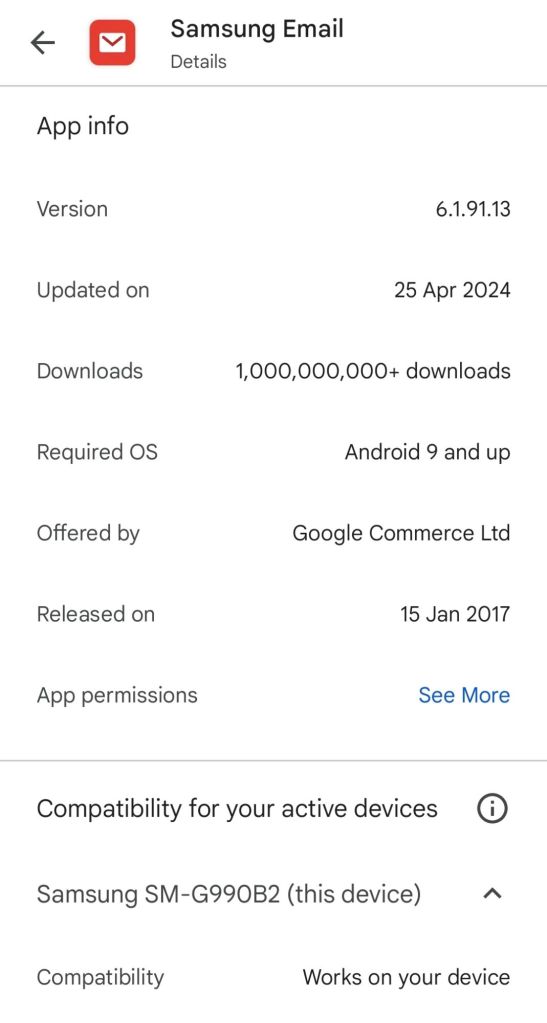
I now have the latest version installed (6.1.91.13 from 25th April 2024) but the problem remains.

Samsung Email version shown in Play Store

So… Samsung please look at this. Or if you have a fix please leave a comment below – which doesn’t require any sign in.

Update 5/5/2024: I swiped right on the “Syncing emails…” notification and it has disappeared – let’s hope for good! 🤞

Whether one had to first manually uninstall and reinstall the app for that swipe notification removal to work I don’t know so give it a go to begin with – and leave a comment here or against the YouTube video (which has several already) if you have the answer.

https://youtube.com/@GIChow

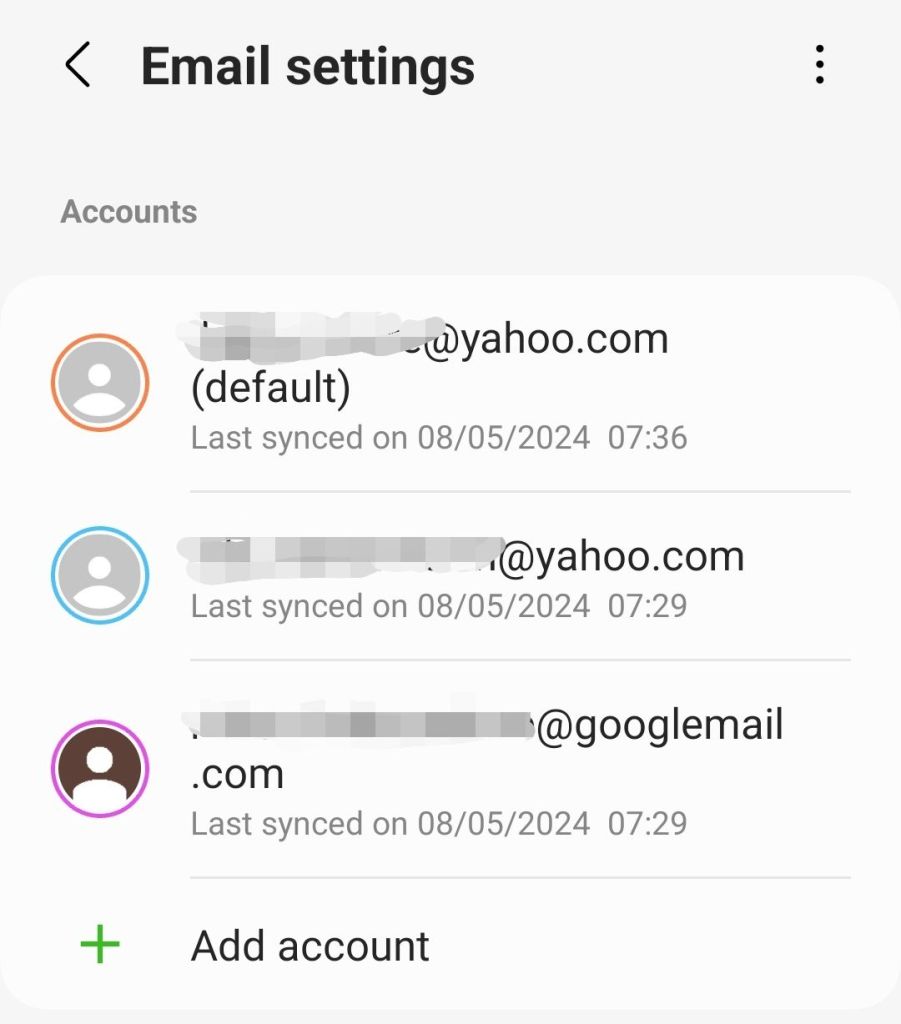
Update 8/5/2024: It looks like mail is syncing OK based on the last synced dates shown:

Last synced

(To get to this go into Samsung Email, click the waffle top left > cog top right)

While I can see new emails when opening the Samsung Email App, (a) I don’t always see an envelope notification when new emails arrive and (b) the “Syncing emails…” notification still appears and remains (until swiping) after restarting my phone so it looks like there is still a Samsung issue that needs fixing.

“None” string in Excel cell turns to NULL in Pandas dataframe column – why?

I recently had a baffling experience in Google Colab where the number of records in a dataframe appearing with a non-null value for a particular field (“Outcome”) suddenly dropped.

I checked the raw source data in Excel and, filtering on the “Outcome” column, the number of Excel ‘blanks’ was lower than the number of records showing null for “Outcome” in the dataframe.

Trawling through the specific records that showed a null in the dataframe, it turned out that some of these were in fact not blank in Excel but rather the actual string “None”.

This had always been the case but somehow suddenly these “None” cell values were being converted to Python nulls (confusingly, these are displayed as ‘None’ or ‘NaN’ in Colab) in the dataframe records.

The dataframe was loaded from Excel using the pandas.read_excel method.

So how do we get “None” strings to appear as “None” strings in the dataframe rather than Python ‘None’ nulls?

It turns out that by default the read_excel method changes certain Excel values to null as per its default na_values parameter.

To get the “None” values read in as “None” rather than null one has to specify keep_na_values as False; if we want empty strings to still be read in as nulls, however, we also need to tell the method this by setting na_values to “” (an empty string) e.g.

df = pd.read_excel( io='TestWorkbook.xlsx', sheet_name="Sheet1", na_values='', keep_default_na=False )

This and further subtleties (e.g. Excel displaying in its user interface a value different to what is in fact stored) is described in this Stackoverflow post.

In summary, another unexpected change in Google Colab Python code behaviour. With the help of the API documentation we can explain and work around it, though why the behaviour suddenly changed (previously ‘None’ strings in Excel were read into dataframes as the same, rather than converted to nulls) I have no idea!

Sony 2024 TVs: Bravia 7, 8, 9 – and that ExpertNL video!

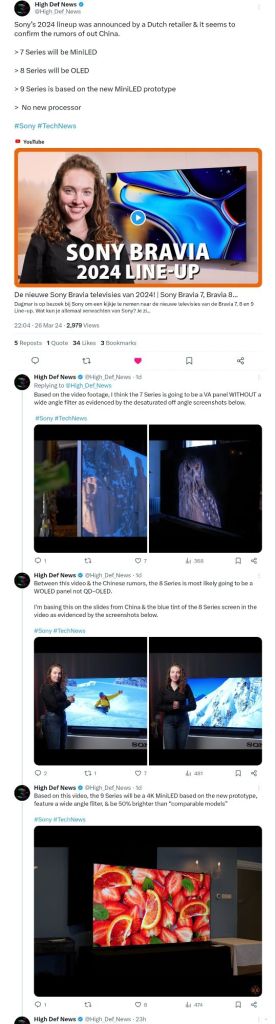
A Dutch Retailer, Expert Nederland, has stolen a march on the tech TV reviewers and shocked the TV review world by releasing technical details of the new-for-2024 Sony Bravia TV models. 

It looks like there has been some controversy around this decision however, with their video getting taken down a few hours later in mysterious circumstances.

You can check out the High Def News Twitter (X) post for details.

https://twitter.com/High_Def_News/status/1772746545537994801

Sony Bravia 7, 8, 9 new for 2024

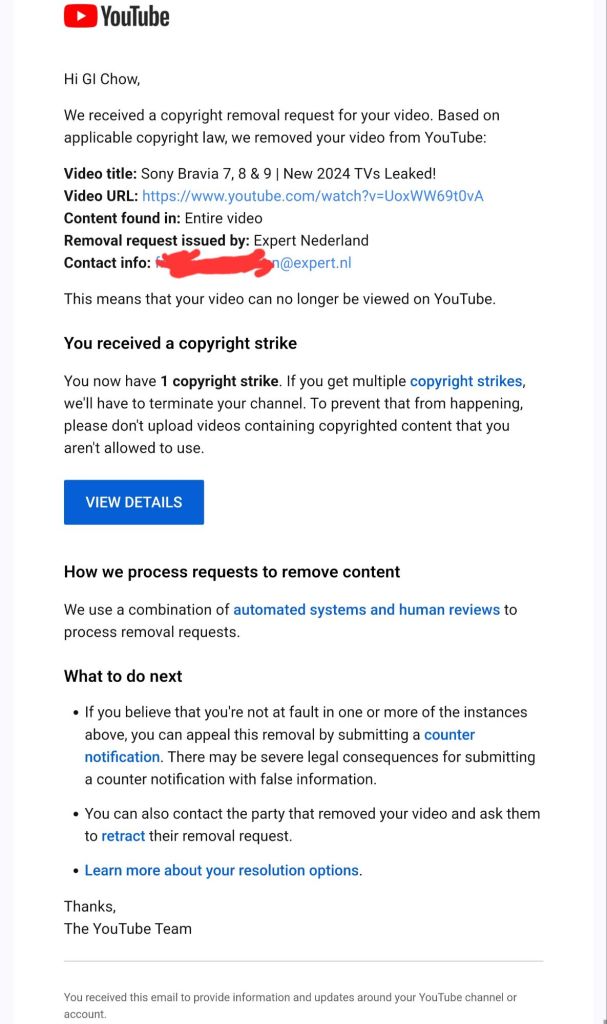
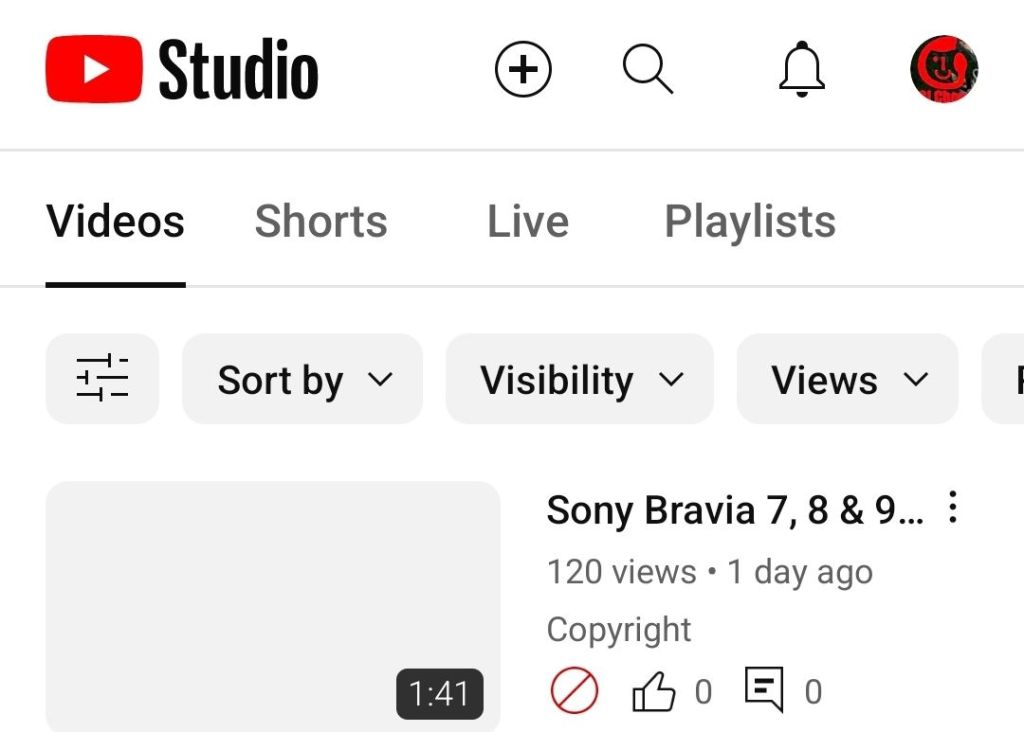
I created a short video summarising the main technical features and including (credited) footage of the feature-explainer graphics, with screenshots of the High Def News post, however almost immediately got served with this notice by YouTube:

In my book, my video fell under the doctrine of fair use and YouTube provides some guidelines:

https://support.google.com/youtube/answer/9783148

1) the content in the materials employed in the video was substantially transformed  with educational / review / news commentary

2) the video is nonprofit

3) the video uses material from factual works and is akin to news reporting

4) the video gives credit for the materials used in the video with redirection to the original content in the video description

5) the video used no sound from the original video or footage of the actors. In fact, ironically enough, the original video itself included footage from a Scarlett Johansson movie – presumably to illustrate the “filmmaker intent” and “includes Sony Pictures expertise” message.

Regardless of arguments about whether it was or wasn’t fair use, I’d have happily had a conversation with the original content creator about what they objected to.

The strike came before any such discussion could be had. My video was up for all of 8 hours before being taken down.

Sony Bravia 7, 8, 9 – nothing to see here!

Typically, content like mine is good for the original content creator with redirection to their video and good for the manufacturer – there’s no such thing as bad publicity right? And, of course, good for us consumers – informing the very people spending their hard-earned dosh!

So, what follows is the original script for my taken down video:

A Dutch Retailer Expert Nederland has stolen a march on the tech TV reviewers and shocked the TV review world by releasing technical details of the newfor-2024 Sony Bravia TV models. 

Here’s what they’ve said, together with some speculation from High Def News (my video included screenshots of the High Def News X post referred to above).

The Sony bravia 7 will be a mini led with much smaller leds for precise image control in 65, 75 and 85 inch sizes.

The XR back-light master drive minimises blooming effects and Zoom 3 audio improves voice intelligibility in scenes with background noise.

The Bravia 8 uses OLED technology, like last year’s flagship A95L and comes in 55, 65 and 77 inch sizes with a contrast booster and panel temperature monitor to reduce the risk of screen burn. With acoustic surface plus audio, sound is created by vibrating the screen for more accurate sound positioning plus a sub and tweeters provide for a more natural response.

Sony’s top TV model for 2024 is the Bravia 9 which abandons oled and uses mini led with even more dimming zones. It’s a claimed 50% brighter, coming in 75 and 85 inch sizes. X-wide-angle and X-anti-reflection technologies improve viewing angles off centre while acoustic multi audio plus upgrades sound and surround effects further.

All 2024 Sony Bravia models have the XR processor at their heart, now in its 4th generation and use Sony Pictures Entertainment expertise to focus on the things us humans perceive, so prioritising the main characters on screen over the background, for example. There’s also a new “Calibrated” mode which removes image processing so you see closer to what the filmmaker intended.

So, do any of these features convince you to get a new Sony Bravia in 2024? 

If you got value please subscribe!

So, there you have it! Hope it helps, and yeah if you got value.. you know what to do 😉

Update 23/4 Expert.NL kindly removed the copyright strike against my channnel and asked that I remove the video from live.

https://youtube.com/@GIChow

What is the music on the UK Depop TV advert December 2023?

Demonic by Gameific

https://open.spotify.com/track/5AmGb3rUTZyqTD1VS6NGnE

Surprisingly this was not on the Depop YouTube channel so thanks to Shazam for finding it.

The music has a somewhat sinister but catchy Electronic Dance Music feel with ethnic instrument sounds and lyrics in a non-English language (with English words like ‘supersonic’ and ‘peace out’) that I presume is Hindi or a dialect given the artist is from Mumbai.

The throat clearing near the start gives a live or less highly produced fresh feel and the musical scale conveys an edginess to the brand, which is in the ‘circular’ recycled fashion sector, and invites a more diverse audience than some of its competitors.

How the floating “Slickback” levitating trick works step by step

This tutorial is now available as a thirty second short video with frame-by-frame analysis of how the left and right foot moves to achieve the levitation effect.

The video shows how attention is drawn to the leading front foot which appears to hover in the air and how the trailing back foot is the one that in fact does the work to maintain the highly effective illusion of walking on air.

Since October 2023, TikTok users have been captivated by the dance video posted by Korean student Lee Hyo-cheol, where he seemingly glides magically off the ground.

The so-called Slickback dance move, named after the song “A Pimp Named Slickback” it is set to, now has several videos devoted to it racking up over 2 billion views.

Lee moves in a way that makes it seem like he is able to step so hard on the air that he can get purchase on it and float above the ground.

Lee modified a dance move created by YouTuber and TikTokker Jubi2fye in early 2022. The “Jubi Slide”, as it is known, looks somewhat like a sideways moonwalk.

The new move focuses more on the striking out of the heels than the sliding, “moonwalk” movement and traverses some distance on the ground rather than being confined to a single spot.

Links to Lee’s original TikTok @wm87.4 account video and a “tutorial” by @gkocoach are available at:

https://cnalifestyle.channelnewsasia.com/trending/slickback-jubi-slide-tiktok-dance-korean-student-floating-feet-376886

What is qkv in LLM transformers? What does it do? How does it work?

There are several great explanations of how the encoder and decoder transformer described in the paper Attention Is All You Need works, e.g. The Transformer Model.

A fundamental concept is attention i.e. the adding of context and meaning to individual words by considering each individual word against each of the other words surrounding it.

For example, if a sentence contains the word ‘bank’ then the presence of ‘money’ in the same sentence suggests that means a financial institution rather than a river bank.

Attention is implemented in code using query (q), key (k) and value (v) vectors and there are some analogies like this one, which regards the key/value/query concept as similar to retrieval systems. For example, “when you search for videos on Youtube, the search engine will map your query (text in the search bar) against a set of keys (video title, description, etc.) associated with candidate videos in their database, then present you the best matched videos (values).”

This analogy raises as many questions as it answers however

  • What is the query? – the whole of the text we provide to the AI interface (ChatGPT,  Bard, etc) or just a single word?
  • How is the query stored in a matrix?
  • What kind of key is the query matched against?
  • How does the key relate to the value?
  • Is the value something we get as an output from the process or something the model already possesses from previous training?
  • What is the point of the value we get from this whole process? How does it relate to generating a response to the text we enter into things like ChatGPT or Bard?

To answer these questions, I found this video which provides a great practical explanation of the model that is simultaneously proven as demonstrably correct through being implemented as working code with a small scale test case that can be trained and run in minutes on the free Google Colab platform.

Karparthy (1:04:15, 1:08:00) describes the query (q) as “what am I looking for” (“I” being a single token from the input sentence) and the key (k) as “what do I contain” so the dot product q.k (where k is all the keys of all the tokens in the input sentence) becomes the affinity between the tokens of the input. Where a token’s query vector aligns with the key vector of another token, the token ‘learns’ more about it (aggregates its feature information into its position).

The value (v) is the “thing that gets aggregated for the purpose of the particular head of attention” that the q, k and v matrices form. Ultimately, the purpose of value is to appropriately weight the token affinities (q.k) so that the product q.k.v is able to sufficiently distinguish token sequences and hence allow the most appropriate next word to be predicted (by the very last ‘softmax’ component of the decoder).

To put all this into more pithy and understandable terms:

  • There is a query, a key and a value matrix for each ‘head’ of attention, i.e.  way of characterising the relationship between words (e.g. relations between tokens, relations between pairs of tokens, relations between groups of 4 tokens, etc.)
  • Q contains the ‘word mix’ (more accurately token mix) from our input text (a) at a particular word position in the text and (b) constrained to a fixed number (e.g. 4, as “hard-coded” for our particular LLM implementation) of sequential words e.g. 4 words from our input text “I like learning about artificial intelligence” at position 1 would be “I like learning about”.
  • K contains the features that this same set of words has – one feature might be e.g. “is a doing word”
  • Q.K gives us a representation of the meaning of the input word mix by aggregating the features each input word has (K) against the features each input word is looking for (Q). So “I” might look for the “doing word” feature and “like” and “learning” would offer that feature. In the matrix dot product for the “doing” feature, “I”, “like” and “learning” would shine. This product is also called the compatibility matrix since it captures how compatible each word is with every other word and hence the extent to which the features of the compatible words should be baked into each query word.
  • We need a consistent way of storing meaning for the computer since two different human language sentences or ‘word mixes’ could yield the same deep meaning (e.g. “a likes b” and “b is liked by a”) and vice versa i.e. two identical sentences could give a different deep meaning depending on what words came before them. Q.K gives us that.
  • V contains the values or weights for each word’s features e.g. we can imagine features like
    • is an action
    • is a thing
  • When V is then multiplied by Q.K we get a numeric matrix that we can use to represent the meaning of the word mix. Subsequent steps in the model can then predict (from the model’s historic training data of English sentences / knowledge) which word likely comes next after encountering this particular meaning.

Hope this helps – if you find a better explanation or ‘intuition’ of qkv please do leave a comment!

Wonka (2023) film review – AI Kermode take one!

If you’ve listened to the Mark Kermode and Simon Mayo podcast or watch their YouTube channel you’ll already know which of their opinions is the best barometer of your own.

I enjoy watching their discussions about movies but sometimes wish I could quickly jump to their main conclusions about a film to see whether it might be for me and hence watching their full review worthwhile without ploughing through the whole episode.

I used Google Bard’s recent YouTube video summarisation skill to try to get exactly this and you can see its results in this ultra short 54 second video.

If it peaked your interest check out the full Kermode and Mayo video – and see how good a job Bard did.

Or check out their podcasts (requires a subscription)

https://open.spotify.com/show/13ZnvaTeGK9WTQy19T8Ep3

Which Oral-B cleans best: Pro 3 3000 v 3500 v iO? What does Whitening mode do? CrossAction v Precision v FlossAction?

This blog is now available as a 59 second short video.

If your old toothbrush has seen better days but you’re confused about which Oral B model and brushing mode offers the best tooth cleaning and value for money, you’re not alone.

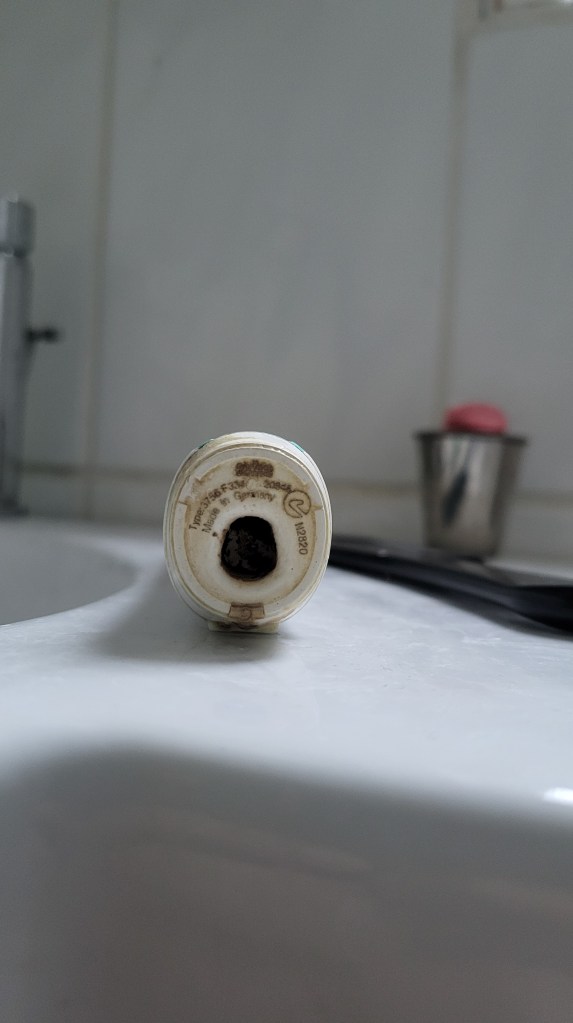
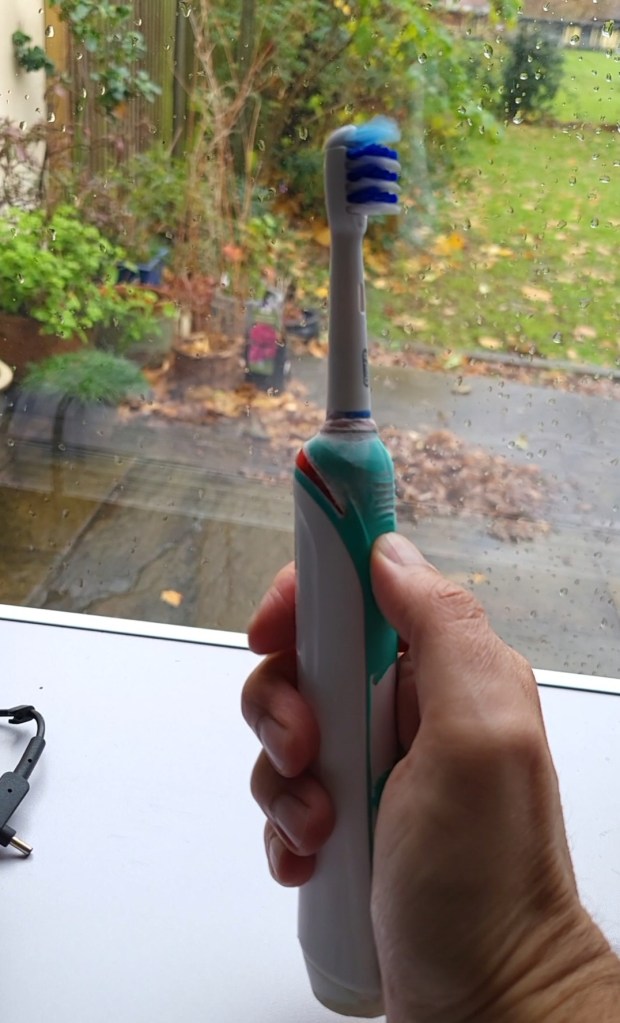
My old Braun Oral-B TriZone electric toothbrush – type 3756 shown on base
Still working after 10 years but battery only lasts 2-3 days

There are 3 things to consider – model, mode and brushes.

The Oral B Pro 3 and iO models are popular choices but what’s the difference and does the more expensive iO clean better?

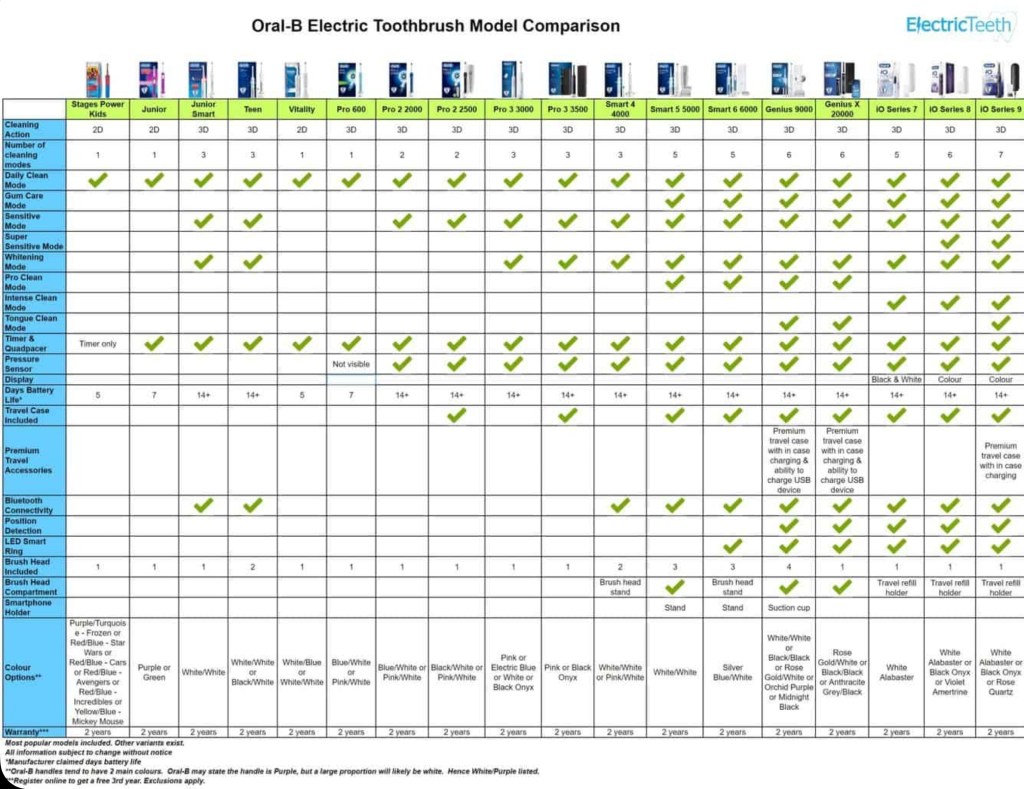
Well the Pro 3 3500 is the same as the 3000 but includes a travel case and only comes in pink and black. The iO range has a magnetic motor which is quieter but its heads are over twice the price, not proven to clean better than the Pro 3 and not compatible with the heads of earlier Oral-B models.

The Pro 3 and iO both have the “3d Action” of oscillate (move back and forth), rotate and pulsate (vibrate against the tooth) but also a “Whitening” mode which varies oscillation speed up and down for deeper cleaning. There are further modes however all Pro3 and iO models also have “Daily Clean” and “Sensitive” modes and these 3 modes are sufficient for most people.

Finally onto heads. CrossAction heads have angled bristles for better cleaning though may be less comfortable than the basic Precision heads and the Floss Action head has micro pulse bristles for better interdental cleaning though doesn’t replace flossing. Some prefer the Deep sweep or trizone head which is shaped more like a manual toothbrush.

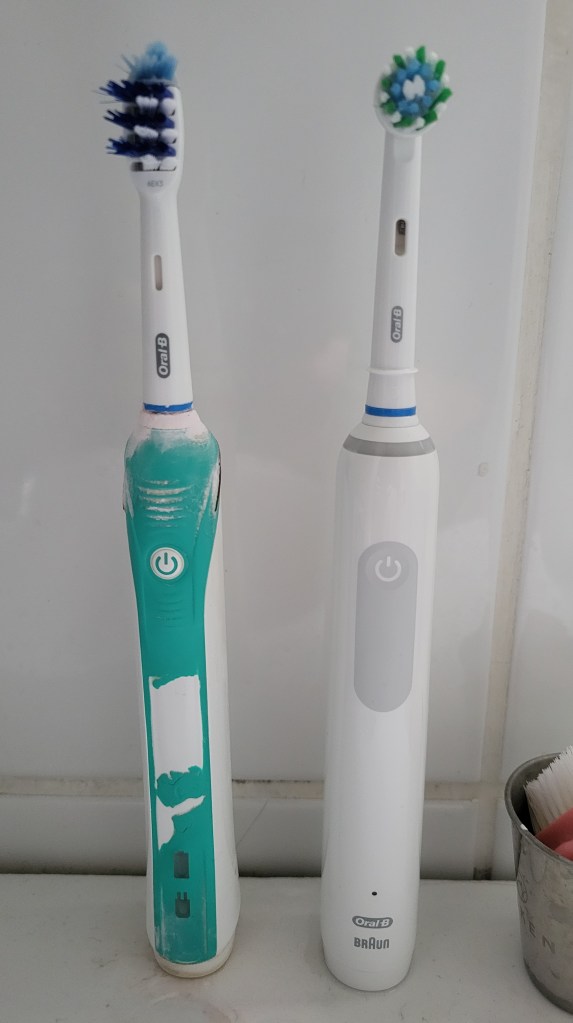
Old Oral-B Pro 2 2000 (Trizone head) v new Pro 3 3000 (CrossAction head)

Diagrams and details are available at electricteeth.com, animated-teeth.com and oralb.com:

https://www.electricteeth.com/uk/oral-b-cleaning-modes-explained/

Oral B models compared (electricteeth.com)

https://www.animated-teeth.com/electric_toothbrushes/oral-b-electric-toothbrush-models.htm

https://www.oralb.co.uk/en-gb/oral-health/why-oral-b/electric-toothbrushes/best-toothbrush-head-for-you